IT
01 / Scouty
Free to start · 14 days of Club as a gift

Volleyball
scouting
made by coaches,
for coaches.

For coaches on their own and for whole clubs. In matches and at training, from the stands or the bench: the phone in your pocket is all you need. Tap the player and the outcome, and at the time-out the numbers are already there. Then use the same data to follow every player and the team: attendance, practices, calendar. With Scouty Club, players join with their own profile and notebook.

Sign up free →Try the demo
Works onPCTabletAndroidiPhoneGoogle Play soonApp Store soon
02 / On the bench
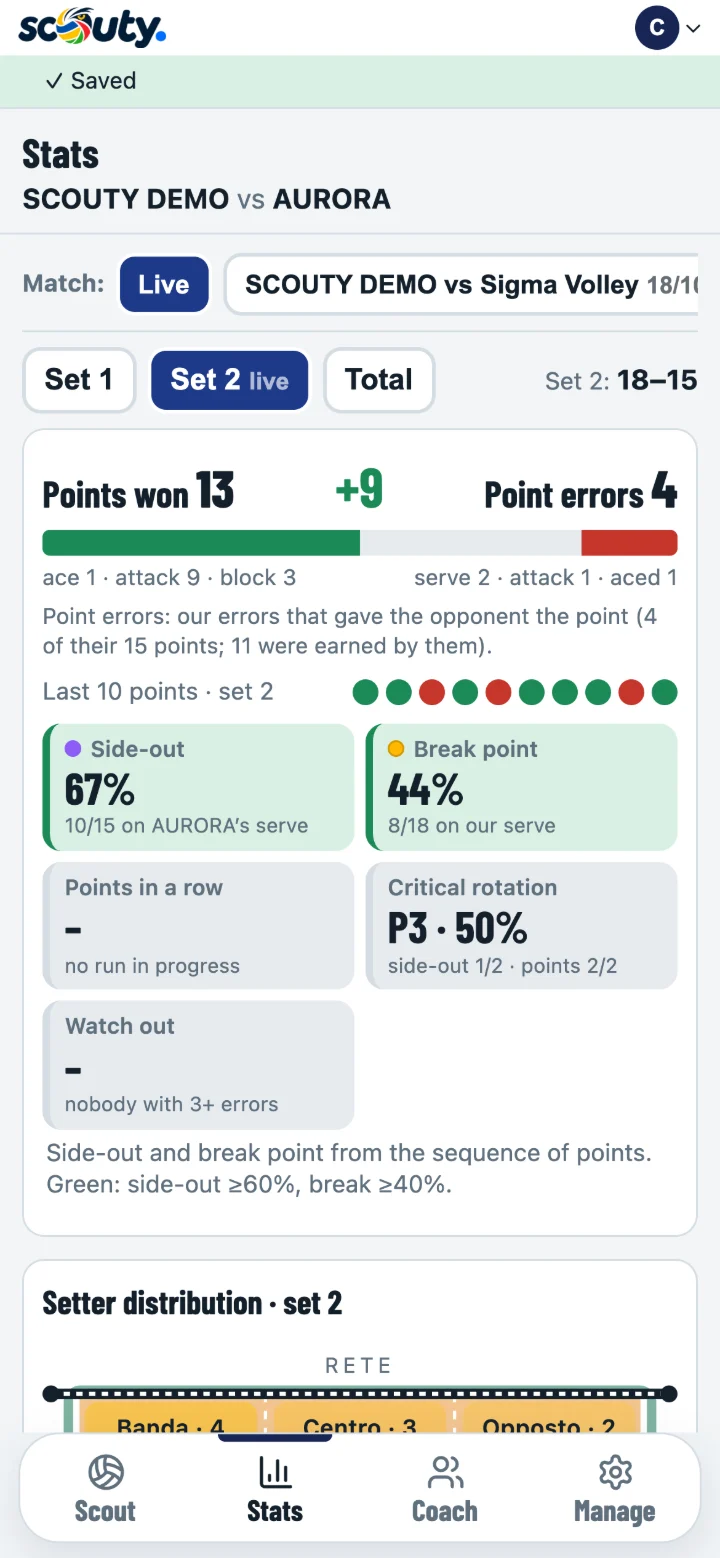
The stats of the live match on the coach’s phone
03 / Live

Real time

The scout records, the coach reads: at the same moment.

04 / Taps2Player and outcome,
for every action
05 / Price€0To start,
forever
06 / Why Scouty

Born in the stands,
born on the bench.

Scouty was born in a youth club: we needed scouting you could do with a phone and clear numbers to read during the match, from the very first time-out. And after the match, calmly, you have everything to analyse it: stats, rotations, player trends, reports and export.

Real time, and after tooLive numbers for the coach at every action; once the match is over, the full analysis, the season and match comparison.
Your teamYou only scout your own team: no opponent analysis, no hours in front of video.
Matches and trainingHandy in the gym too: attendance in one tap, a scoreboard for 6 v 6, training scouting of both teams, every player’s numbers.
No special devicesThe phone, tablet or PC you already have. It installs like an app.
07 / For whom

The volleyball
we all
live.

Gyms, youth teams, leagues of every level. Coaches, scouts, parents in the stands and club staff at home: each with their own phone, all on the same match.

Try the demo →
08 / Formats3Export: PDF, Excel
and DataVolley
09 / RotationsP1–P6Tracked by themselves,
with who serves
10 / Start

On your own or with your club

Sign up in a minute, with Google or your email, and choose how you use Scouty. Change it whenever you like: teams and matches stay where they are. The first team is free, forever.

CoachCoaching one or more teams? You don’t need a club: scouting, live numbers and Live pages for your teams, in your own space.Sign up free →
ClubMore teams and more coaches in the same space, with the club’s name and logo: invite coaches and scouts, each one sees their own teams.Sign up free →
S1 / Online

Nothing to install.
Nothing to update.

Scouty is an online service (SaaS), not a program living on one PC. Every action goes straight to the server and from there to every device of the club: the numbers are where they are needed, while the match is on.

S2 / Together

One scouts,
everyone sees.

Always the latest versionNo downloads and no PC licences: open Scouty and the new features are already there, on every phone, tablet and PC.
Real-time statsEvery tap reaches whoever is watching in a moment: the Stats update by themselves and are ready at the time-out.
Several devices at onceThe scout scouts, the coach reads the numbers on their phone on the bench, the club manager on the PC. If needed, the coach takes over from the scout.
Anyone can scoutAn assistant, a parent or an outside scout: invite them with the scout role and they only see the team you give them.
Scout from anywhereFrom the stands, from a separate bench or, if the match is streamed, even from home: the numbers still reach the bench.
Scouting

Three taps,
rally recorded.

A row or a token for every player on court, in their real position. Scouty follows the score, rotations, substitutions and the libero, and offers only the skills possible at that moment.

11 / Line-up

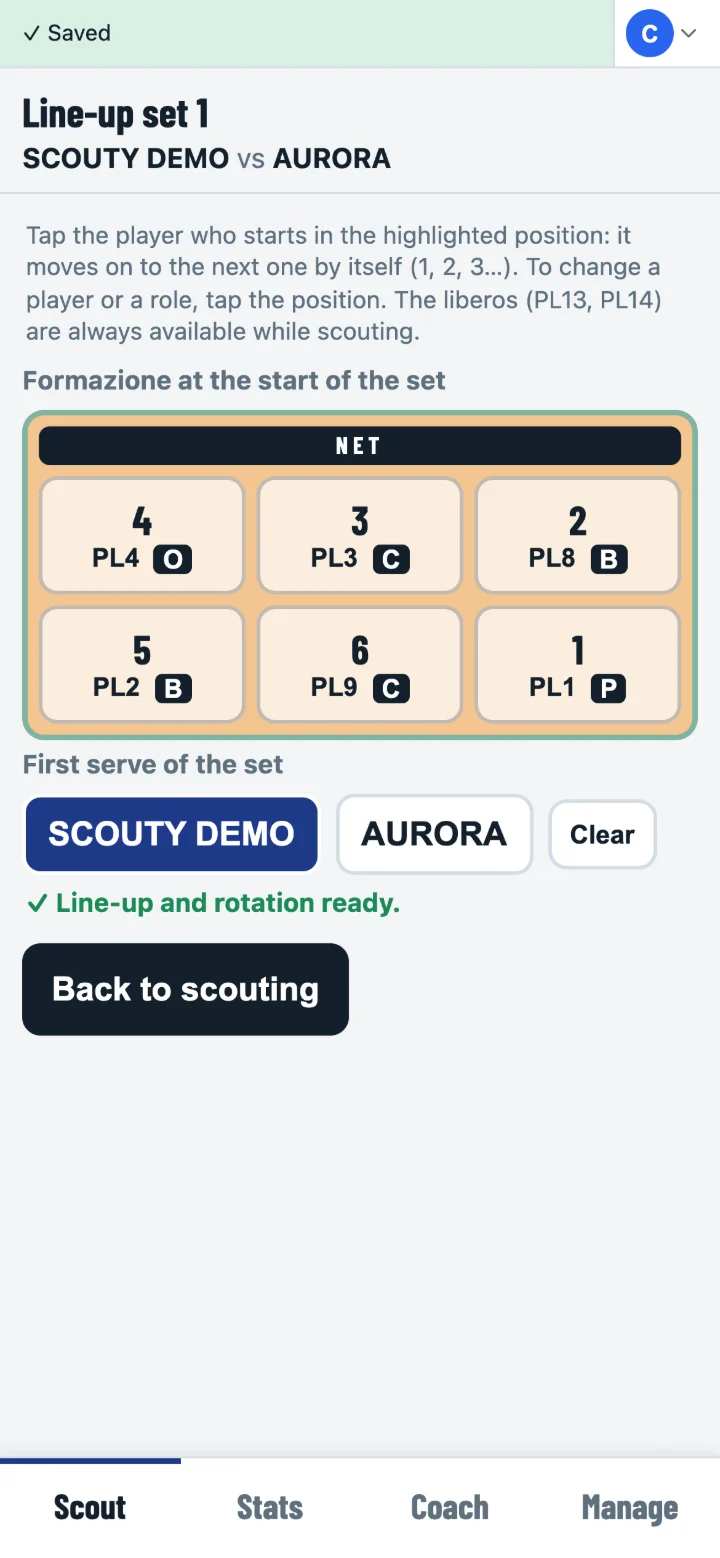
1 · Line-up

Starting line-up on the court

Tap a position, the player and their role; choose who serves. From the second set it is suggested for you.

12 / Outcome

2 · Player and outcome

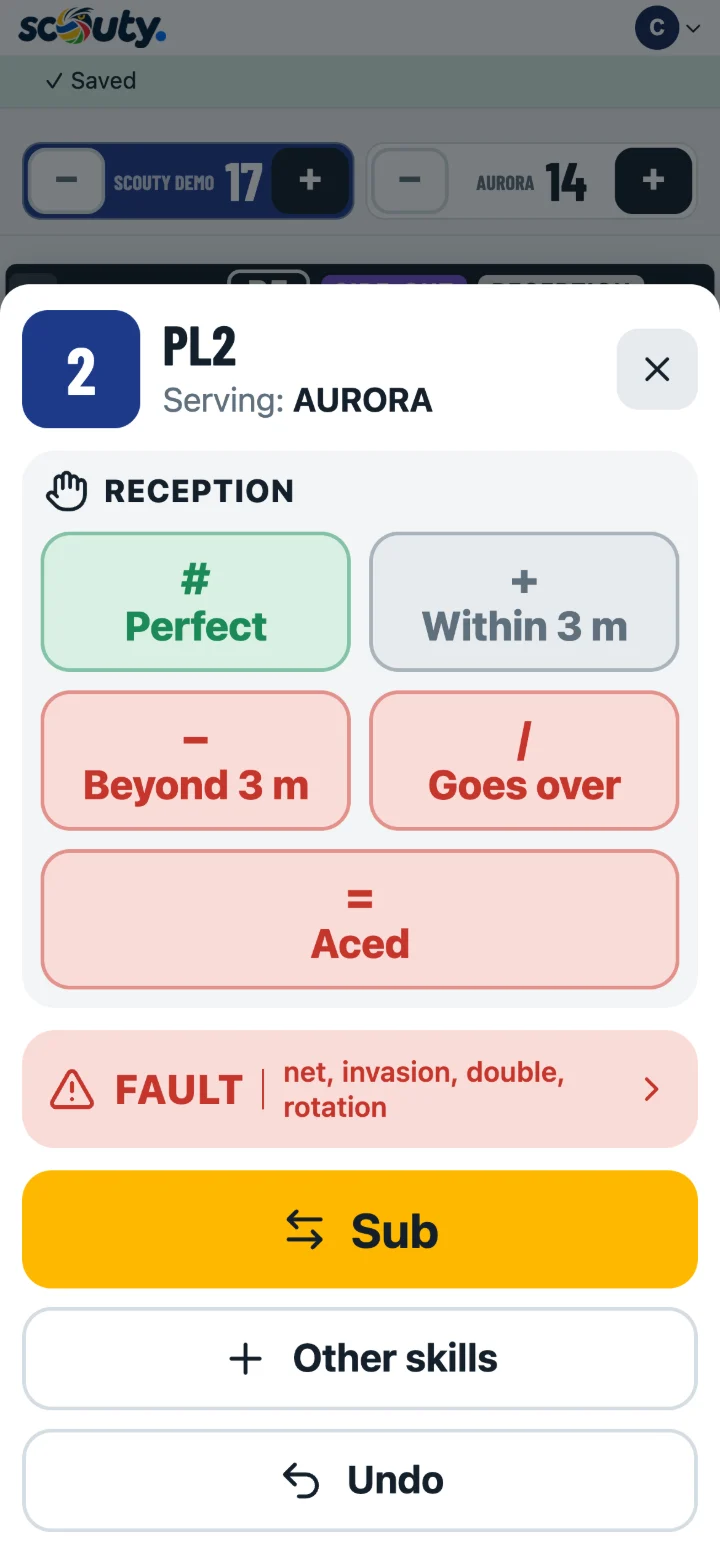
Action sheet: skill and outcome

DataVolley symbols (# + ! − / =). When they serve it offers the reception, then the attack.

13 / Set

3 · The set, if you like

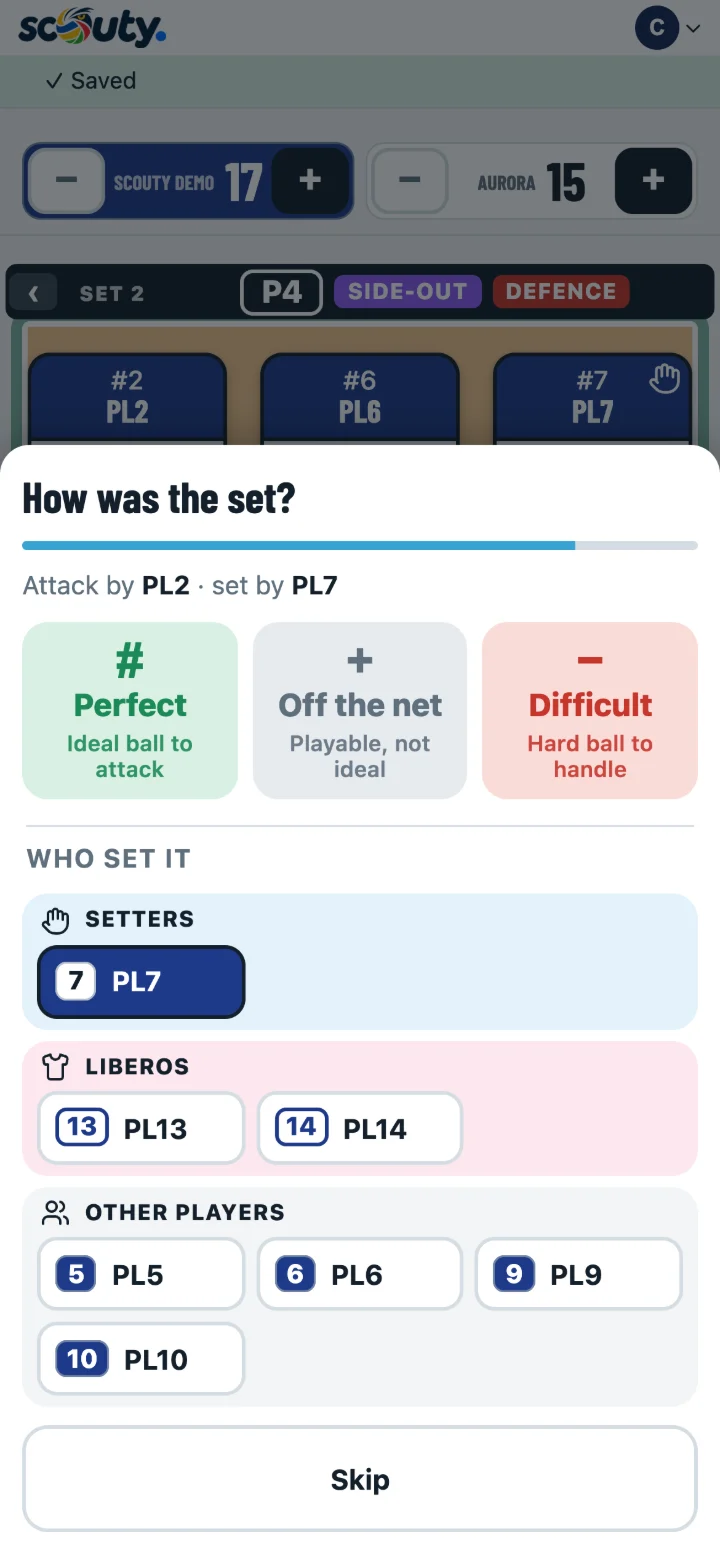
Rating the set after the attack

After the attack: how good the set was and who gave it. One tap, or “Skip”.

14 / Court

Real positions

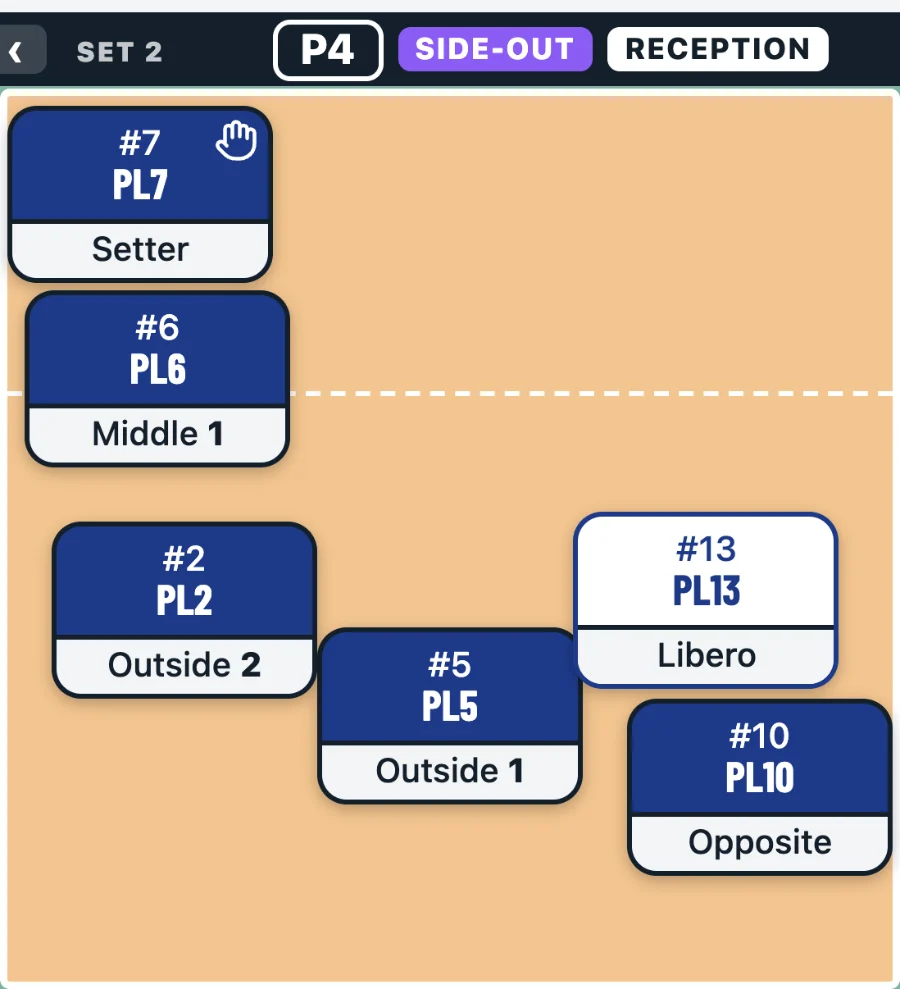
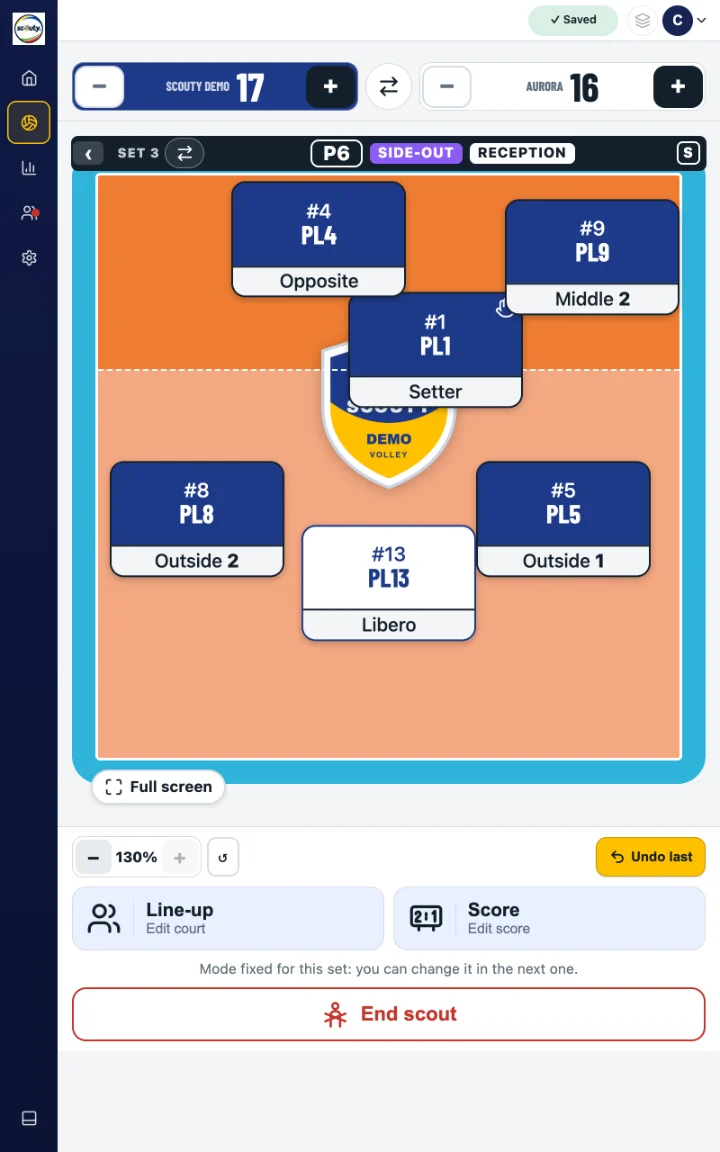
Reception formation with the libero

Reception, serve, attack and defence with the real positions: when the ball goes over, the setter drops back and you tap them. The role on every token, with 1 and 2 for outsides and middles.

15 / Details

Designed so you never lose track

Undo lastRemoves the last action and its point, with one tap.
Edit scoreBrings the set back in line with the official scoreboard without distorting the stats.
Substitutions by the rulesCounts the substitutions in the set and knows who can come back in, and for whom.
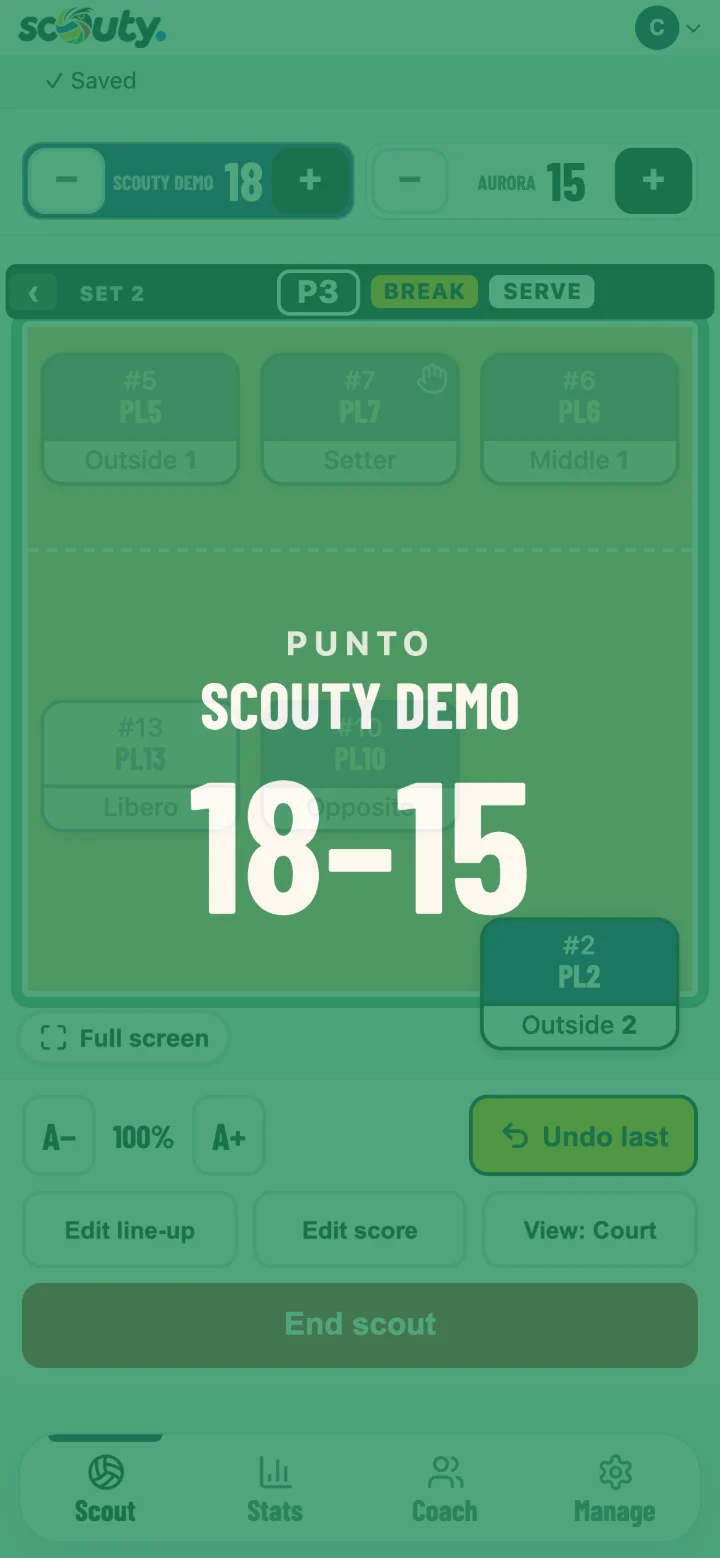
Every point showsA green or red flash with the score: scouting carries on underneath.
On a tablet, Live next to the courtIn landscape side-out, break, errors and rotation stay in view; one tap opens all the stats.
16 / Tablet

On a tablet, court and numbers together

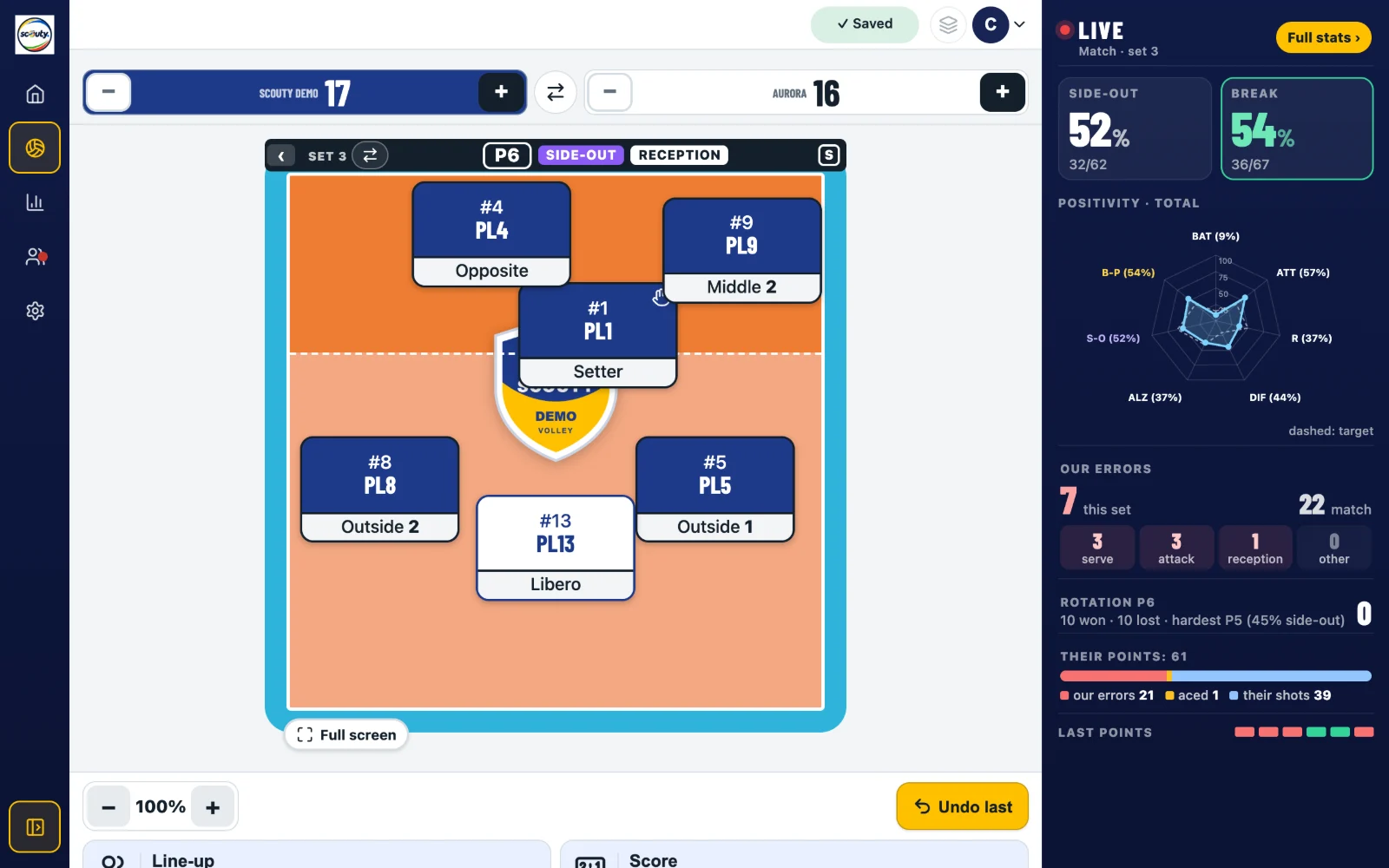
Scouting on a landscape tablet: the court on the left, the Live column on the right

Turn the tablet: next to the court the Live column shows side-out, break, errors, rotation and the last points, updated with every action. Tap Full stats to see everything without leaving the scout.

17 / Portrait

Upright too

Scouting on a portrait tablet with the icon menu on the side

The menu stays on the side as icons. With ⇄ you swap the court halves when the teams change ends.

The time-out

Thirty seconds,
the right numbers.

While the scout works, the coach opens Stats on their own phone: it updates by itself at every action. At the top is what you need to decide.

18 / Balance

Points won and given away

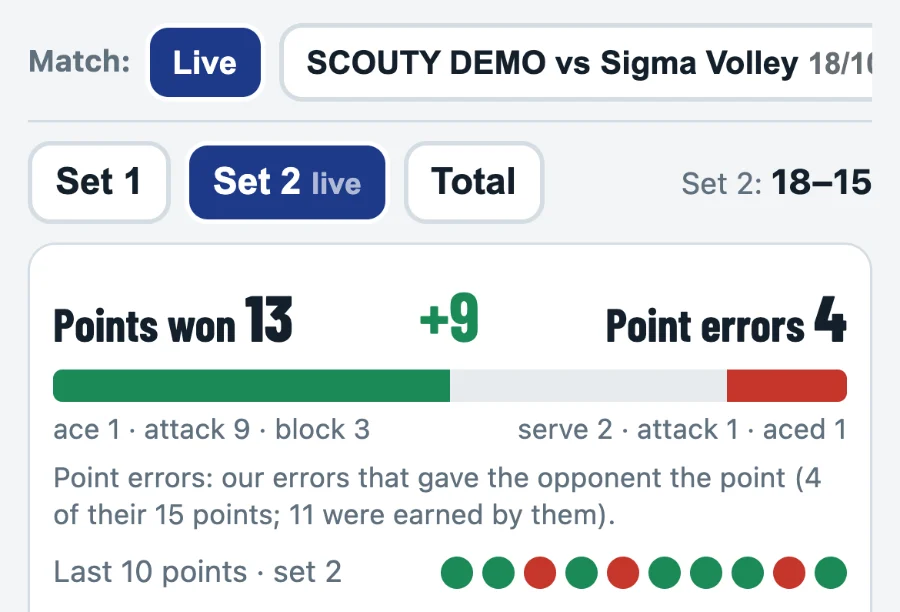
Points won against point errors and the last 10 points

How many points we won, how many we gave away, the last ten points at a glance.

19 / Rotations

Side-out and break

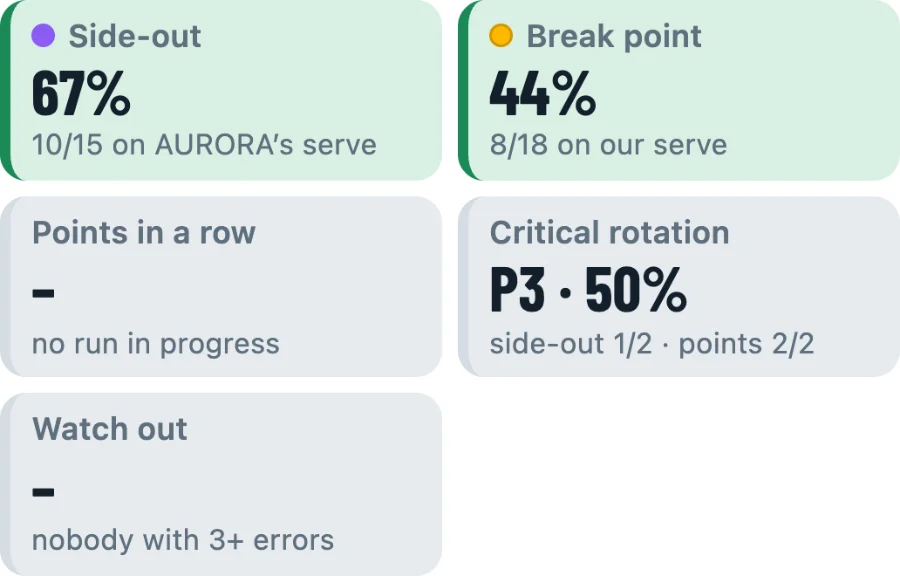
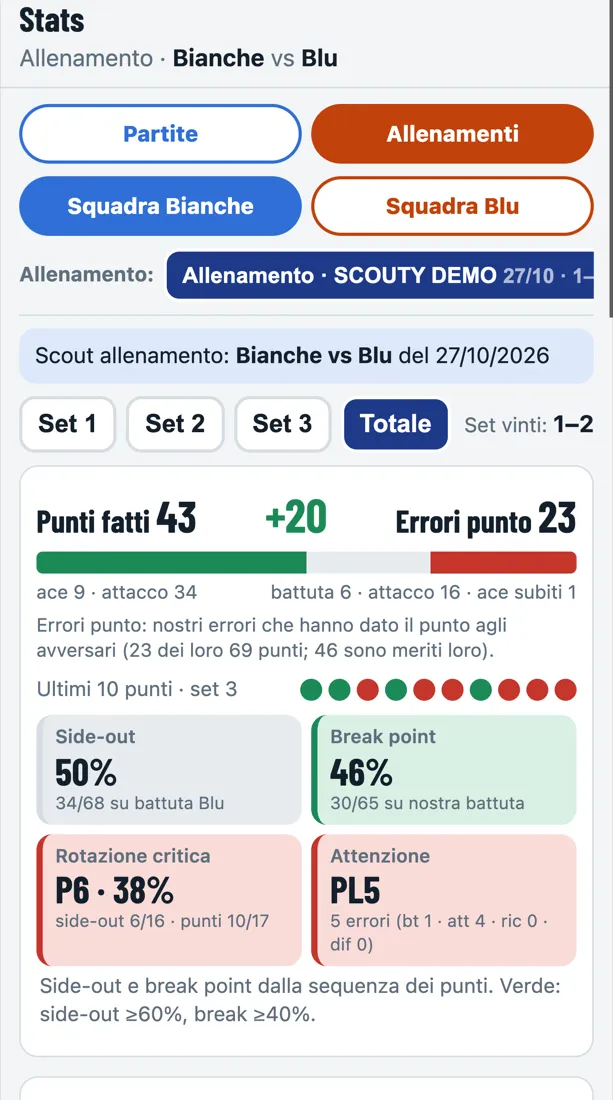
Side-out, break point, critical rotation, watch out

The weakest rotation and the player who is making mistakes.

20 / Setting

Setter

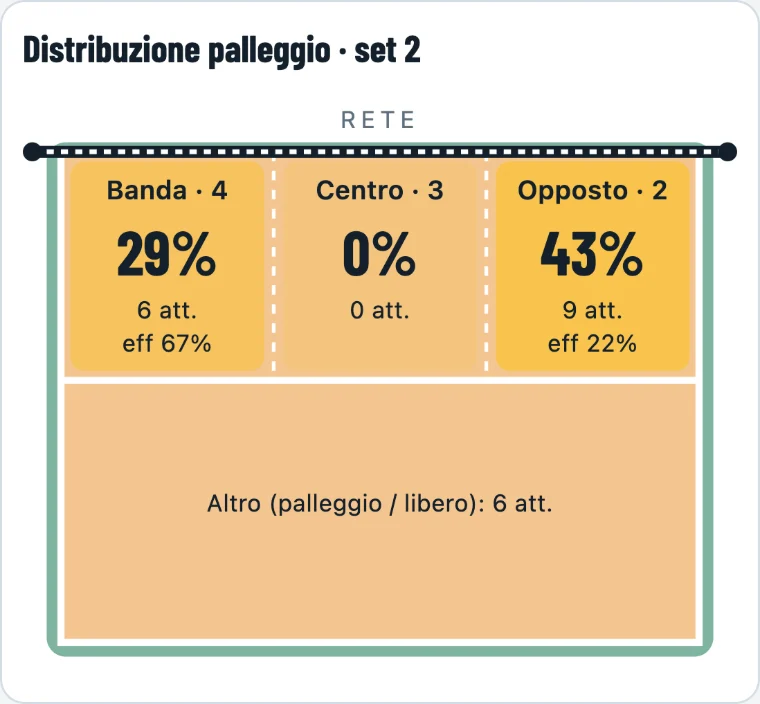
Setter distribution by position

Where the setter plays and how efficiently each position attacks.

21 / Targets

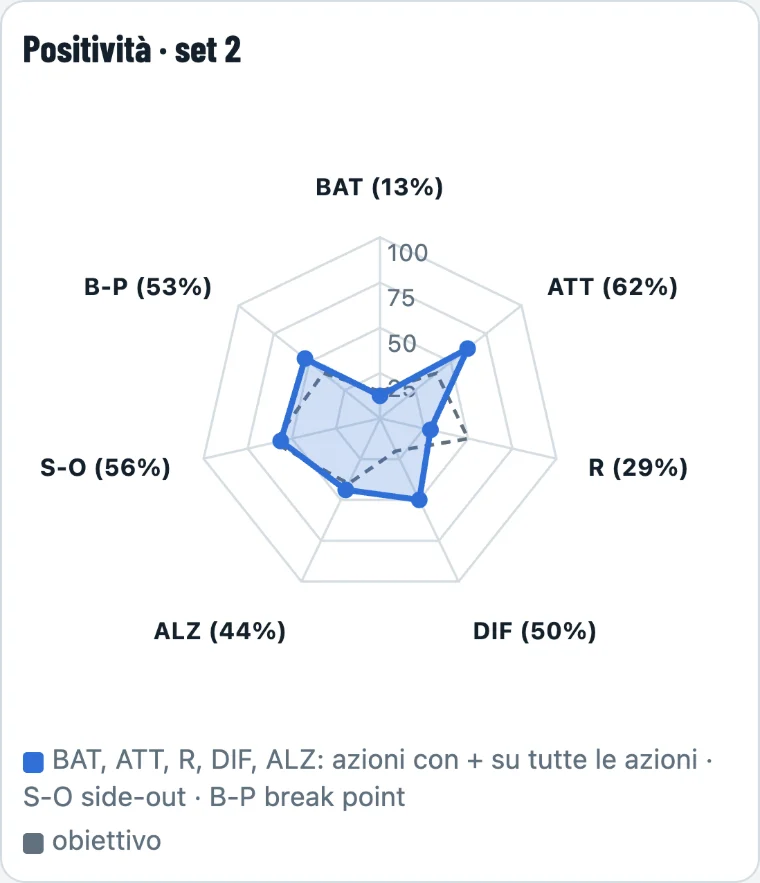
Positivity

Positivity radar by skill

Every skill against your team’s targets.

22 / Point
The full-screen score at every point
Live

In the stands
or at home, live.

One tap and you send the match link to whoever is not in the gym, usually the parents’ group: they follow it in real time, no app and no account. At the end, the result image ready to share.

D1 / Live

The match, like in the arena

Scoreboard, who serves, the six on court moving like in the app, score trend and runs. Shirt numbers, never names; the link closes one hour after the match. With Club.

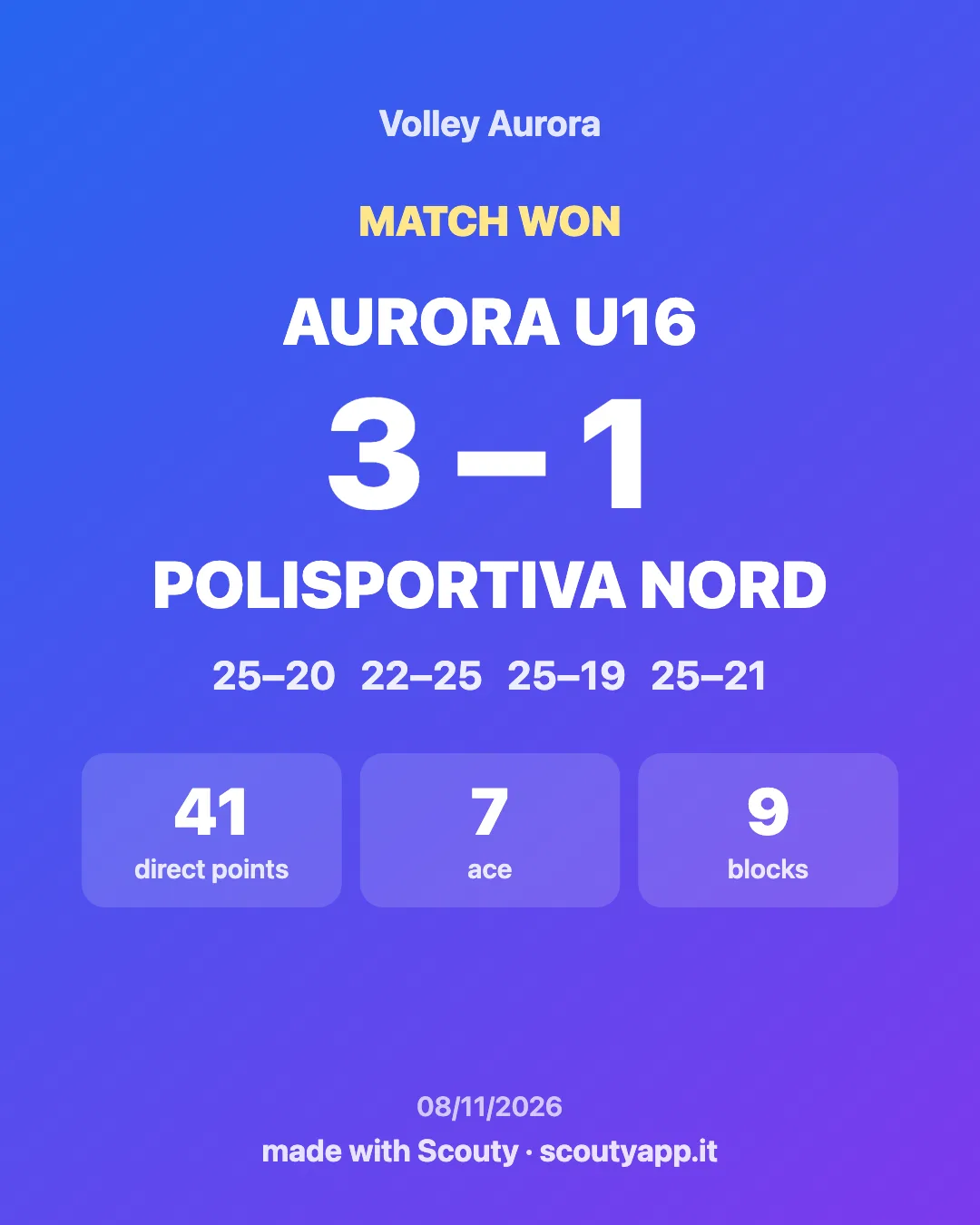
D2 / Result

The result to share

End-of-match image: result, sets, direct points, aces and blocks

Result, sets and the team’s numbers with the club logo: for WhatsApp and Instagram.

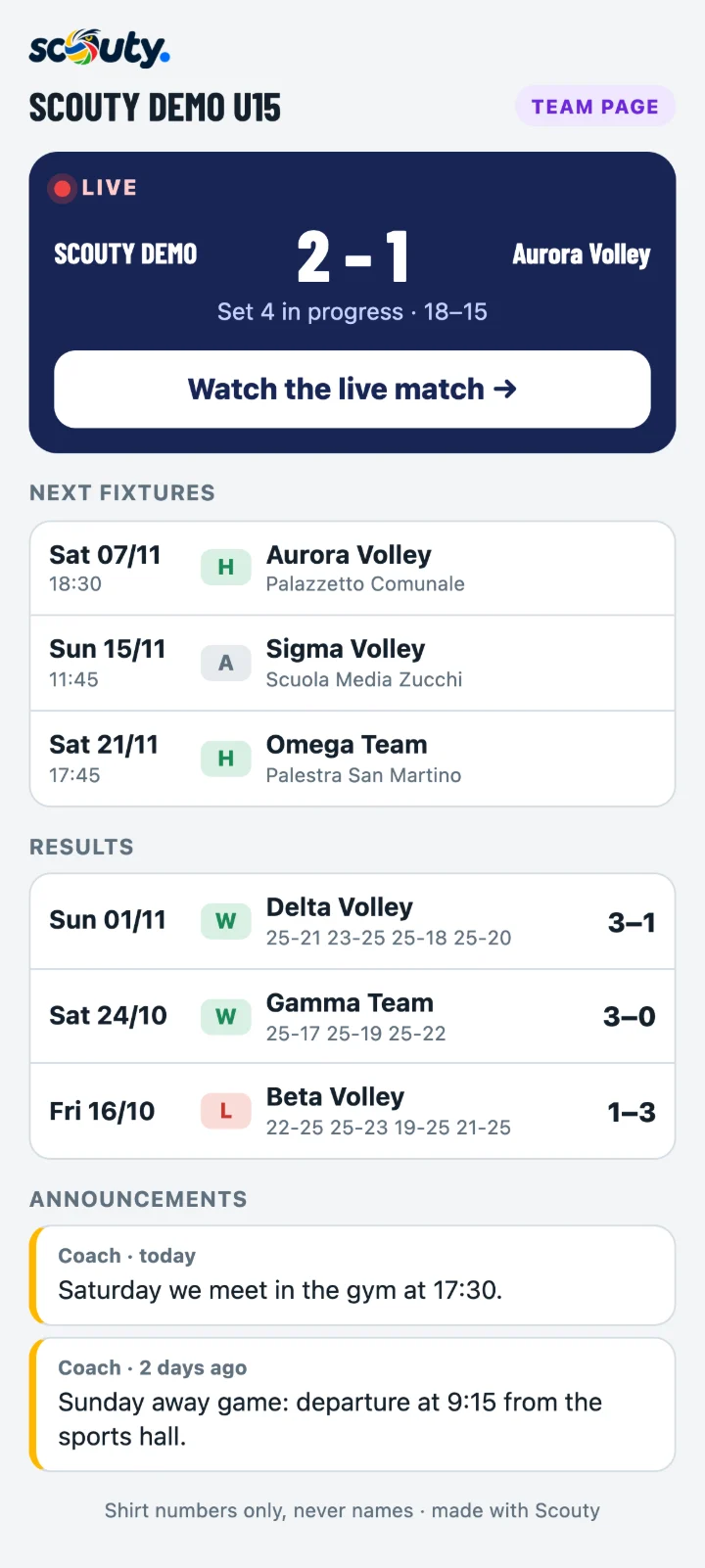
T1 / Scouty TeamsNew · Club

The team's
own page.

One link to send to parents, fans and staff: everything they need to know, without an app or an account.

Next fixturesUpcoming matches and training sessions, with date, time and gym.
LiveDuring a match, the score and the court live, like today's Live.
ResultsPlayed matches with sets and partial scores.
AnnouncementsNotes from the coach: times, away trips, changes of plan.

Never the players’ names. Turn it on in Coach › Activities, and change or close the link whenever you like.

Preview of the team public page: live match, next fixtures, results and announcements

The team page

T2 / Calendar
New · Club

The calendar
sorted by itself.

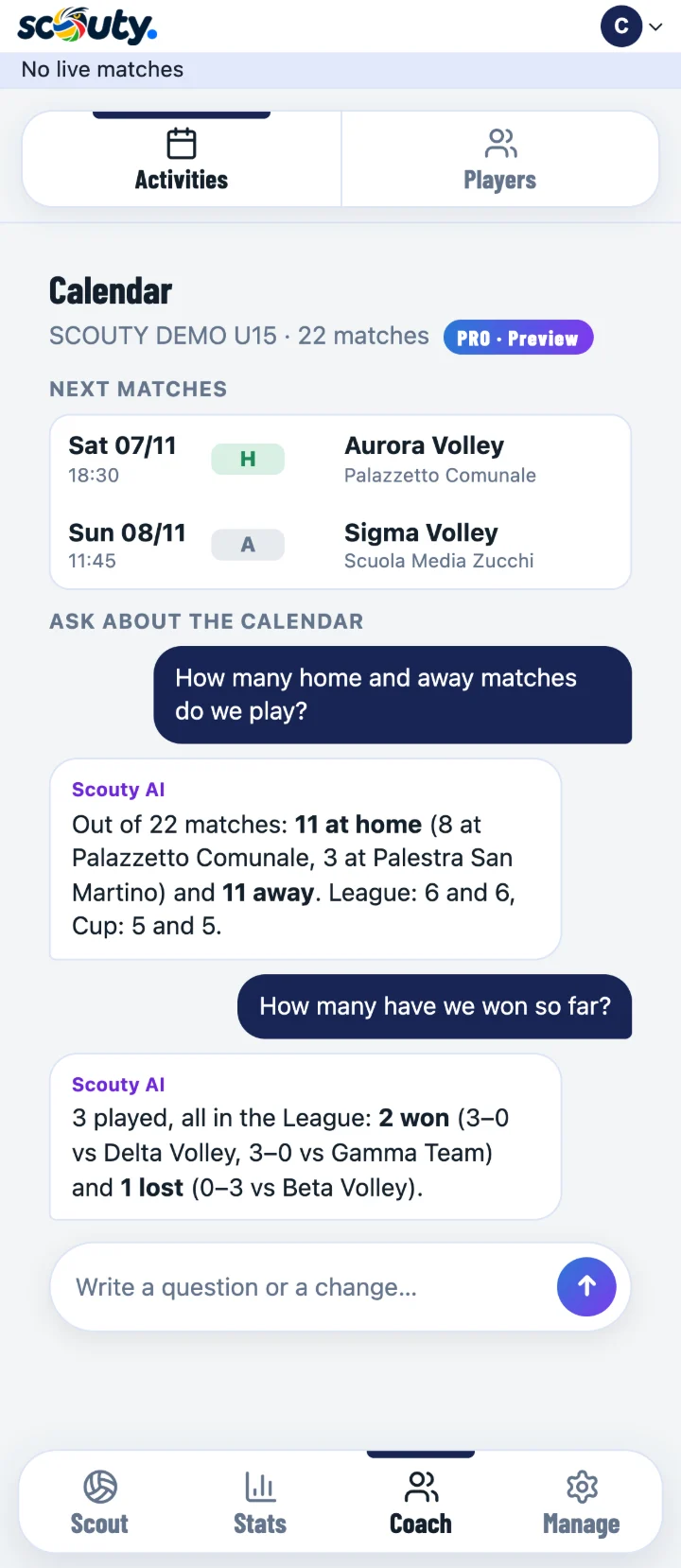
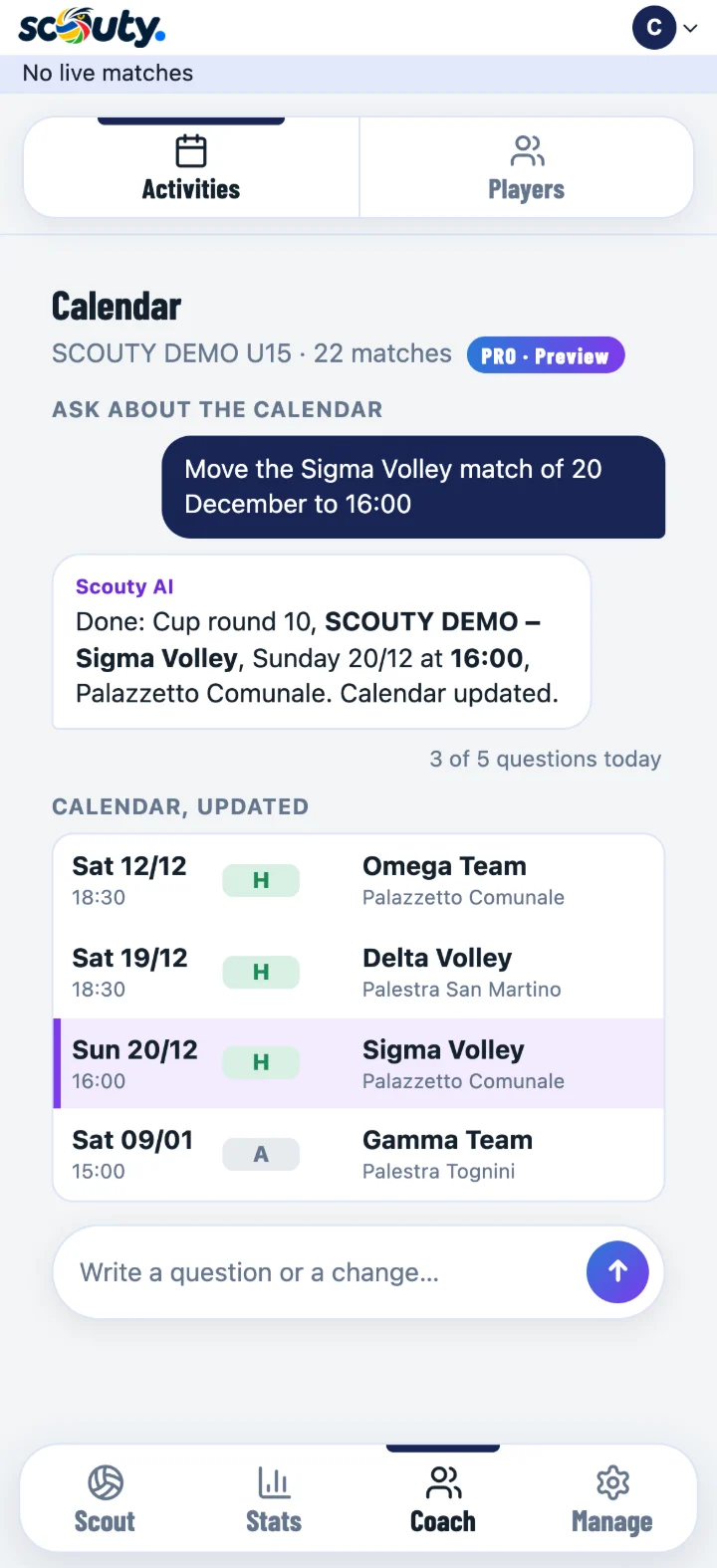
Upload the league file (CSV or Excel) and Scouty sorts it out: league, your team, home and away, gyms, results. With a paid Club subscription artificial intelligence does it and flags the doubtful rows. In Activities you see the next fixtures and how many matches you play at home and away. With a subscription you can also ask it in plain words, up to 5 times a day per team: “move Saturday’s match to 4 pm”, “how many away games in November?”.

Ask the calendar · Club: questions about the calendar, home games and wins
Ask the calendar · Club: a match moved by writing it in plain words, with the updated calendar

Ask the calendar · Club

23 / Anywhere
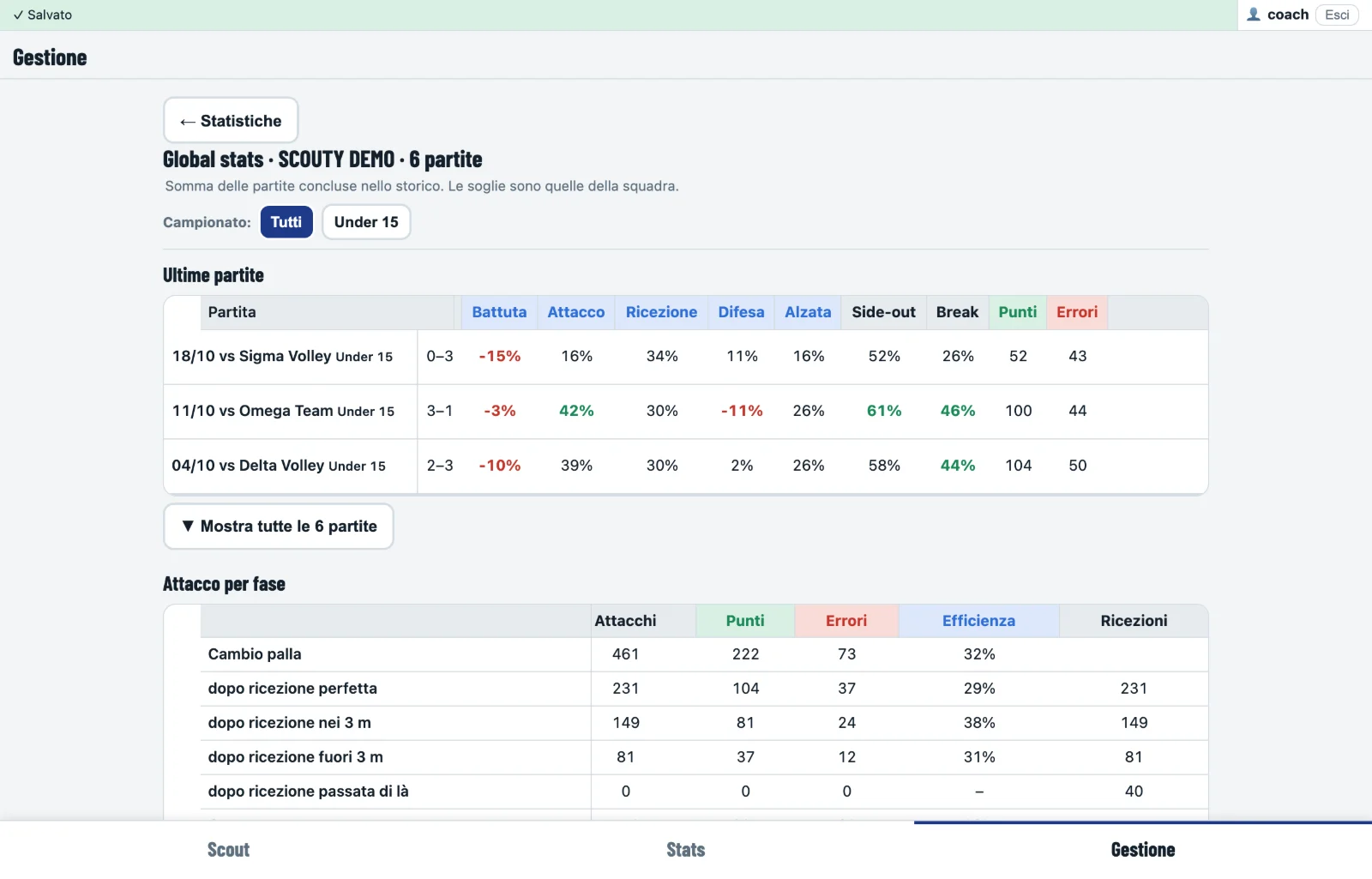
Scouty on a PC: season stats
24 / Devices

The phone
you already have.

Phone, tablet, PCFrom the browser, and it installs like an app.
Several people, one matchOne scouts, the others watch live; the coach can take over from the scout.
Weak signalActions stay on the phone and are sent when the signal comes back.
Clear rolesCoach and scoutman see everything, the scout only scouts. Invitations by email.
The season · Club

Every match stays,
every player grows.

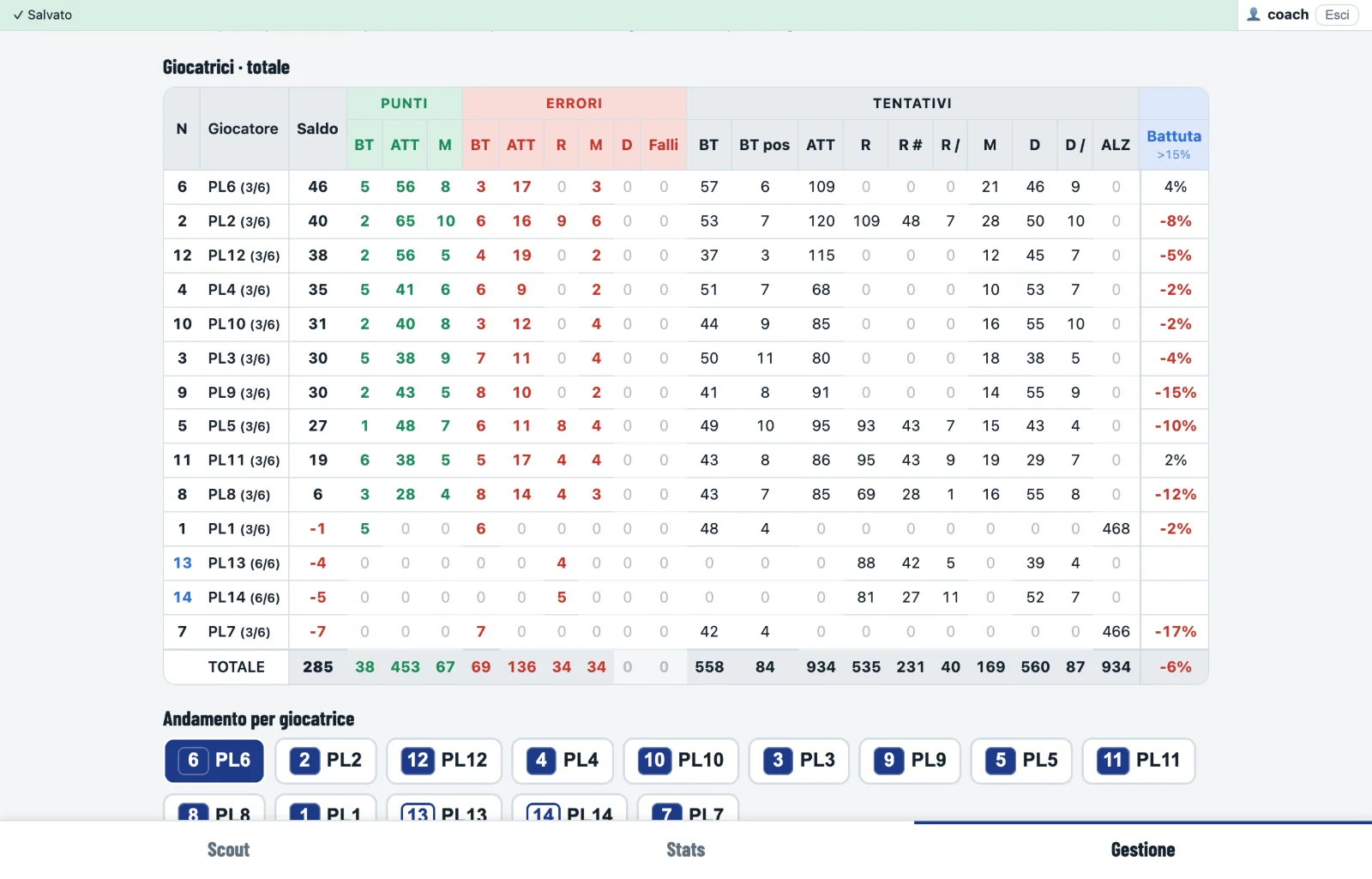
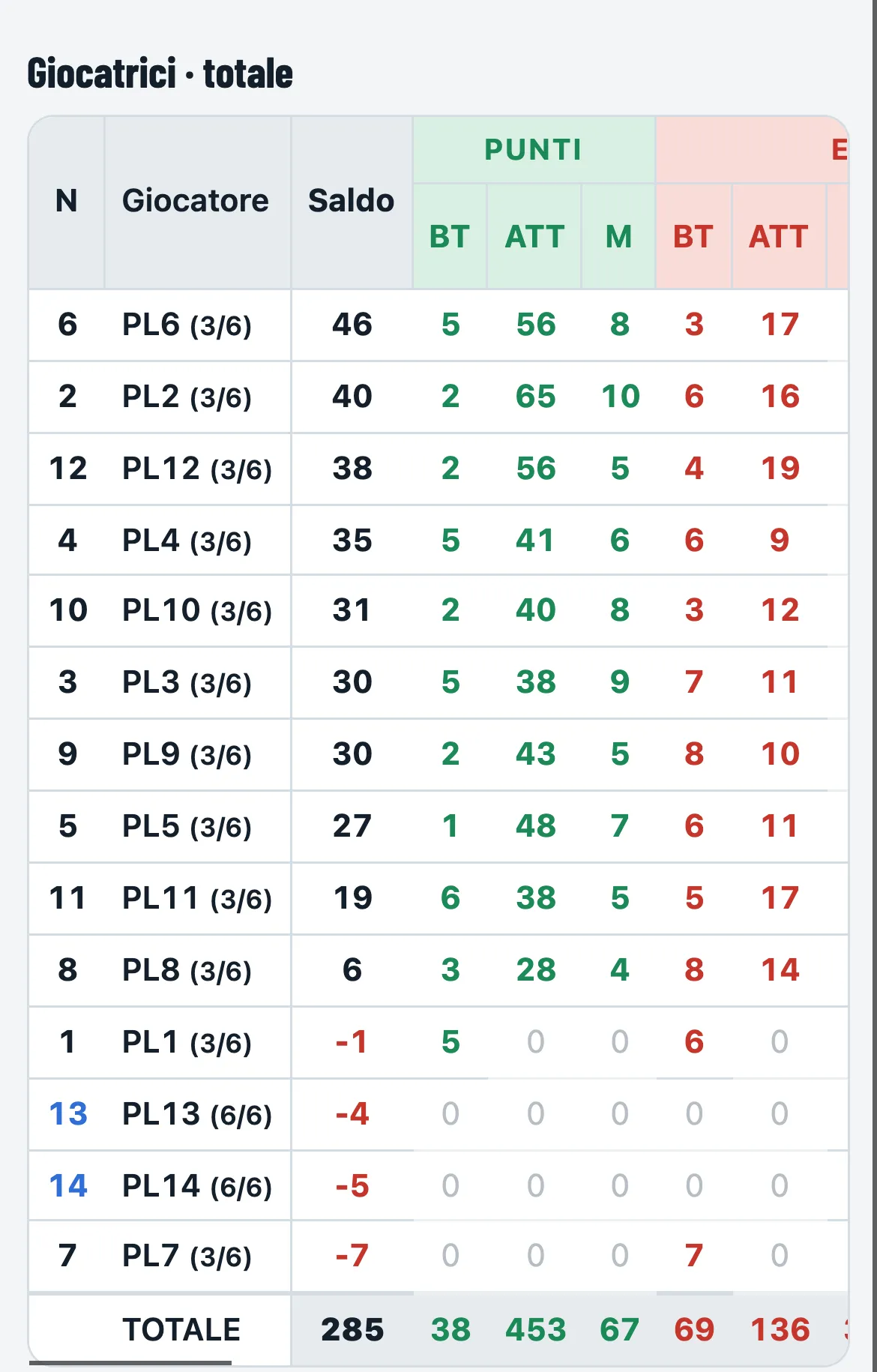
Finished matches go to the archive by themselves: season stats by player and by league, rankings, trends match after match, comparison of two matches.

25 / Table
Season table of the players
26 / Trend

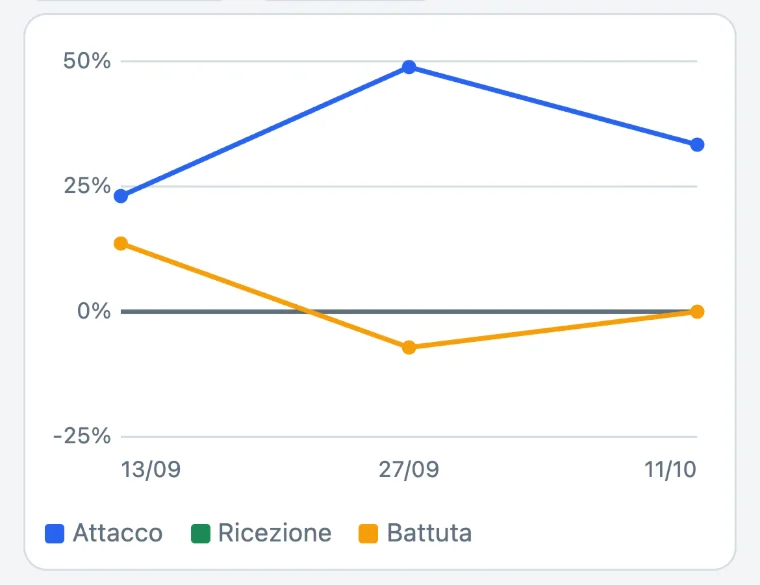
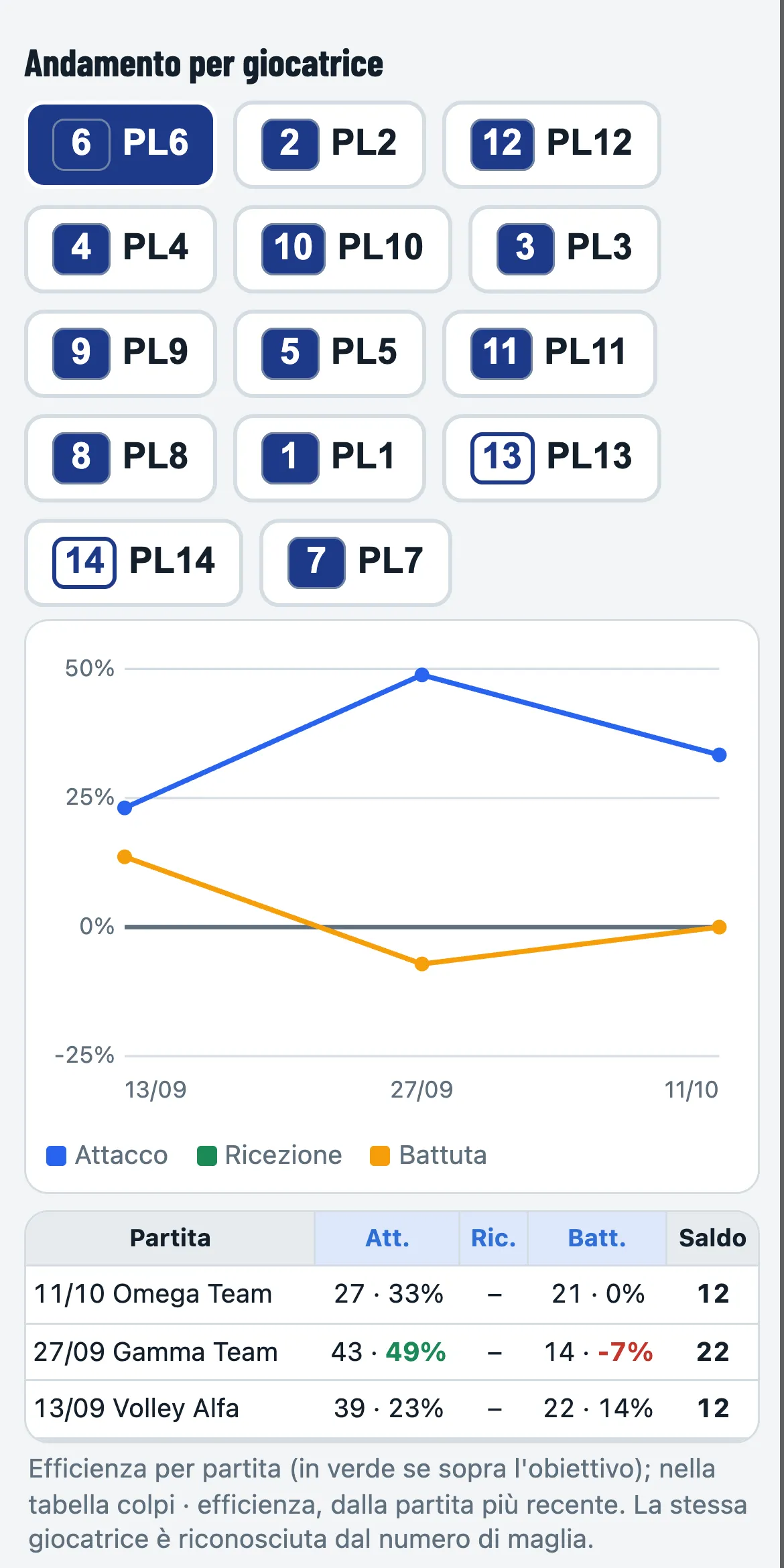
Match after match

A player’s trend match after match

Each player’s attack, reception and serve over time.

27 / Comparison

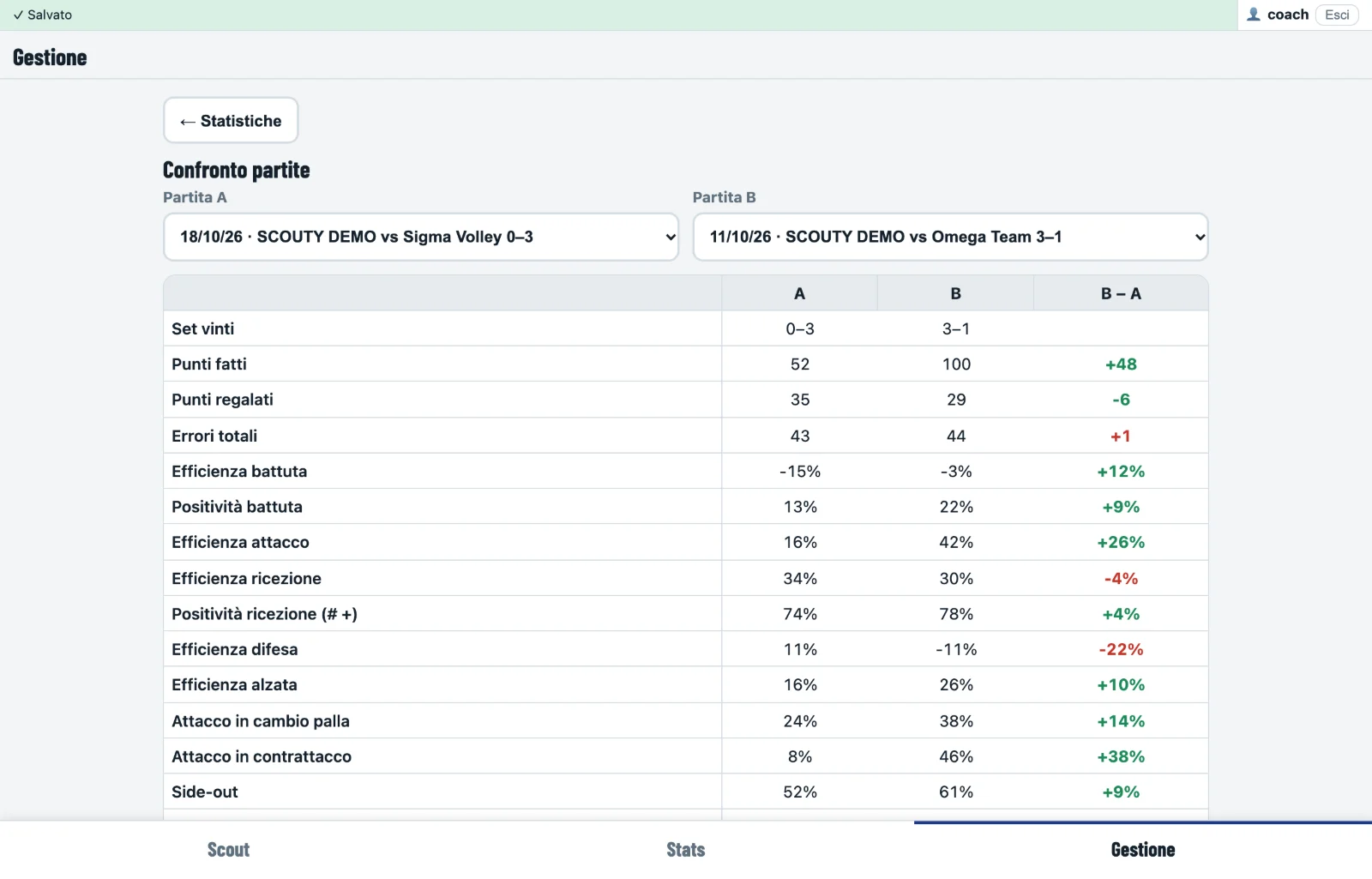
Two matches side by side

Two matches compared with the differences
28 / ClubClub only

The whole season, in your pocket.

Season stats by player and by league, rankings, trends match after match and comparison of two matches are part of Club. With Free you see the last 3 matches: the others stay saved and all come back as soon as you move to Club.

See the plans →
29 / On the phone
Season table of the players on the phone
A player’s trend match after match on the phone
In the gym · Club

The coach’s
corner.

During the week Scouty is in the gym with you: who is at training, 6 v 6 between two teams and every player’s numbers, kept apart from official matches.

A1 / Home

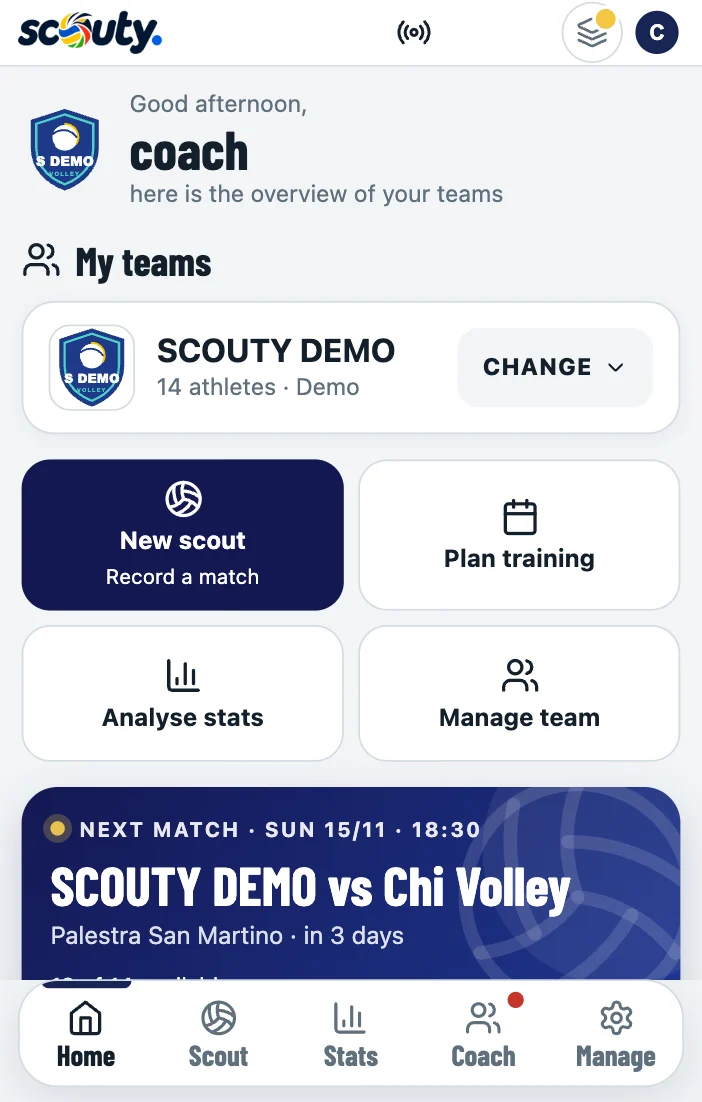
The coach’s Home

The coach’s Home: my teams, quick actions and the next match

Open Scouty and see right away what to work on: the points below target in the last scouted matches, the training days left and your own priorities to tick off. Then the next match, the results trend and the players to watch. If a match is in progress, you resume it from here.

A2 / A v B

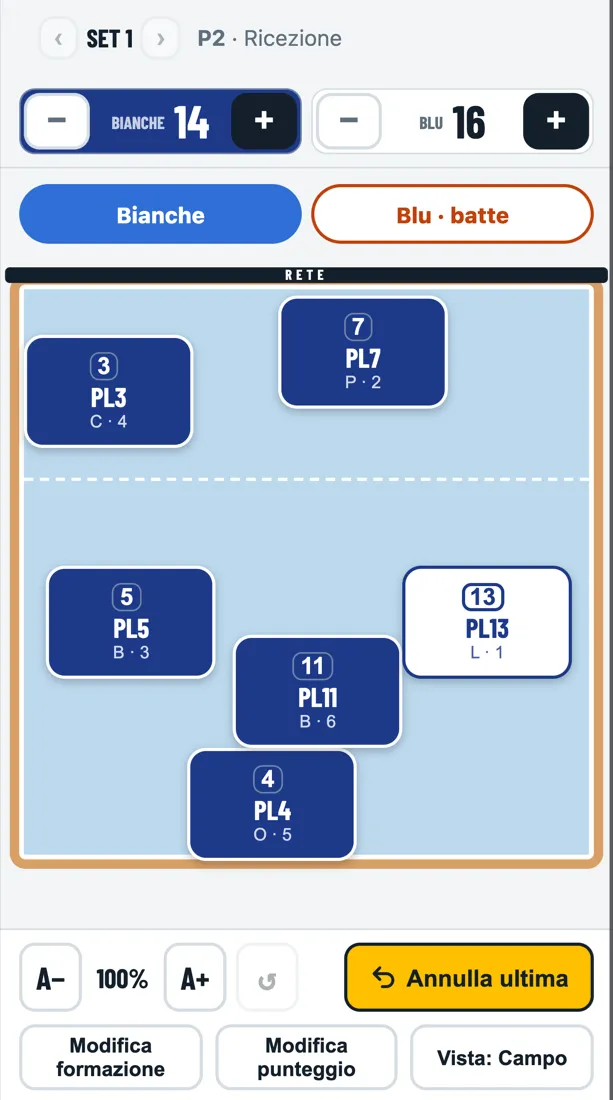
6 v 6, A against B

Scoreboard: just the score, without entering anyone. Training scouting: match scouting with both teams being yours, the court turning towards whoever has the ball, and stats for A and for B, kept apart from the season. With your own rules: what each error or point is worth (an attack error gives the opponents 2), sets to 7, 15 or 25, best of 3 or 5.

A3 / Attendance

Who is here, in one tap

Everyone starts as present: you only mark who is missing and, if you like, why. No calendar to prepare. Injured players start as absent.

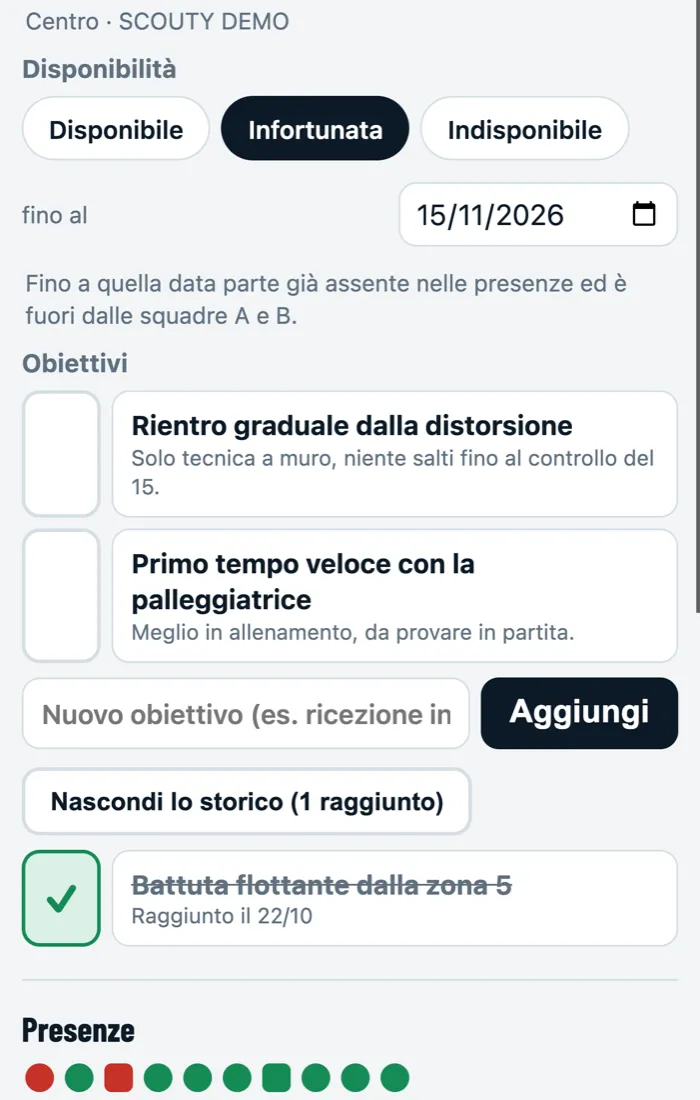
Availability and goalsInjured or unavailable until a date, and each player’s goals to tick off when they reach them.
Keep an eye onWho misses three sessions in a row, who is below 60%.
A4 / On the phone
Training scouting: the White team’s court in reception, Blue serving; the buttons at the top turn the court
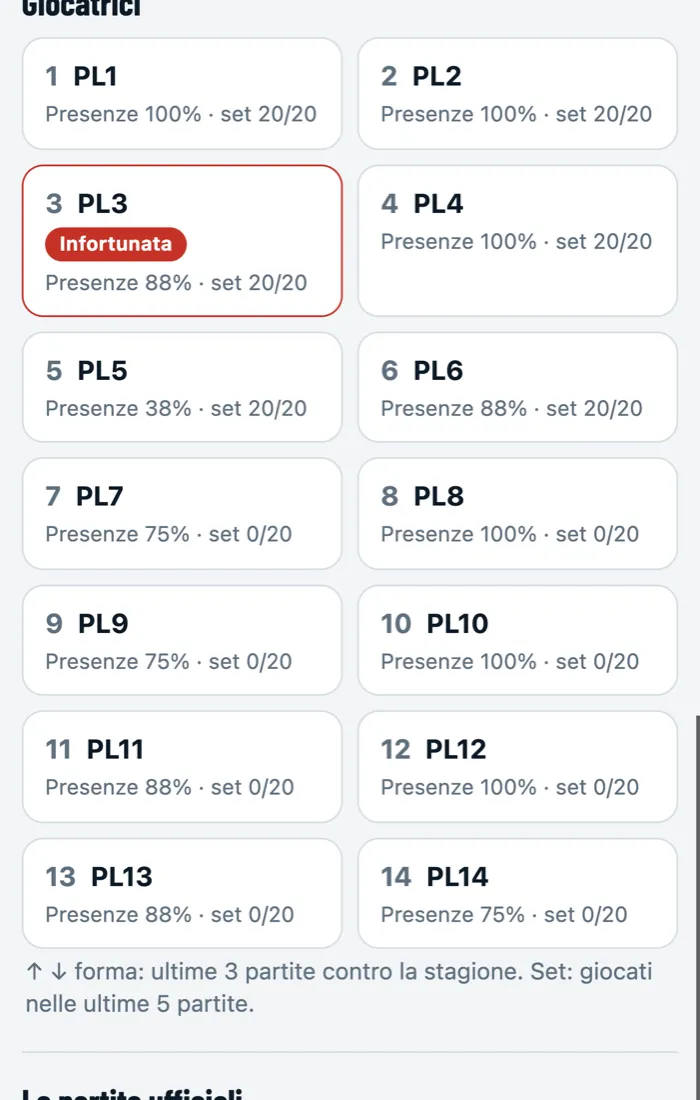
Coach: the players with attendance, sets played, form and availability
A5 / Player

Goals to tick off

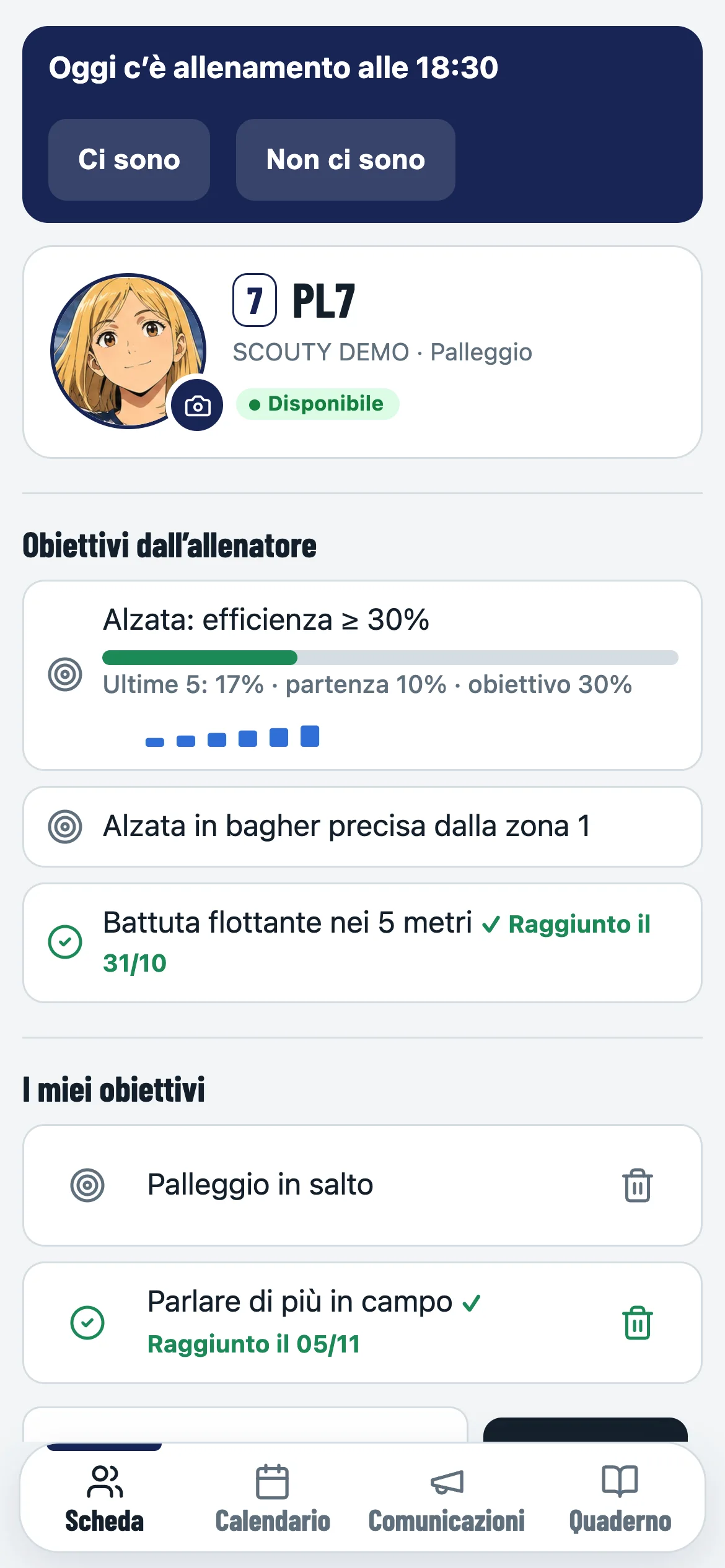
Player card: availability, open and reached goals, attendance

For each player, the goals to work on, with notes: when they reach them you tick them off and they stay in the history. Plus availability, attendance, form and sets played.

A6 / The numbers

Three small tiles, all clear

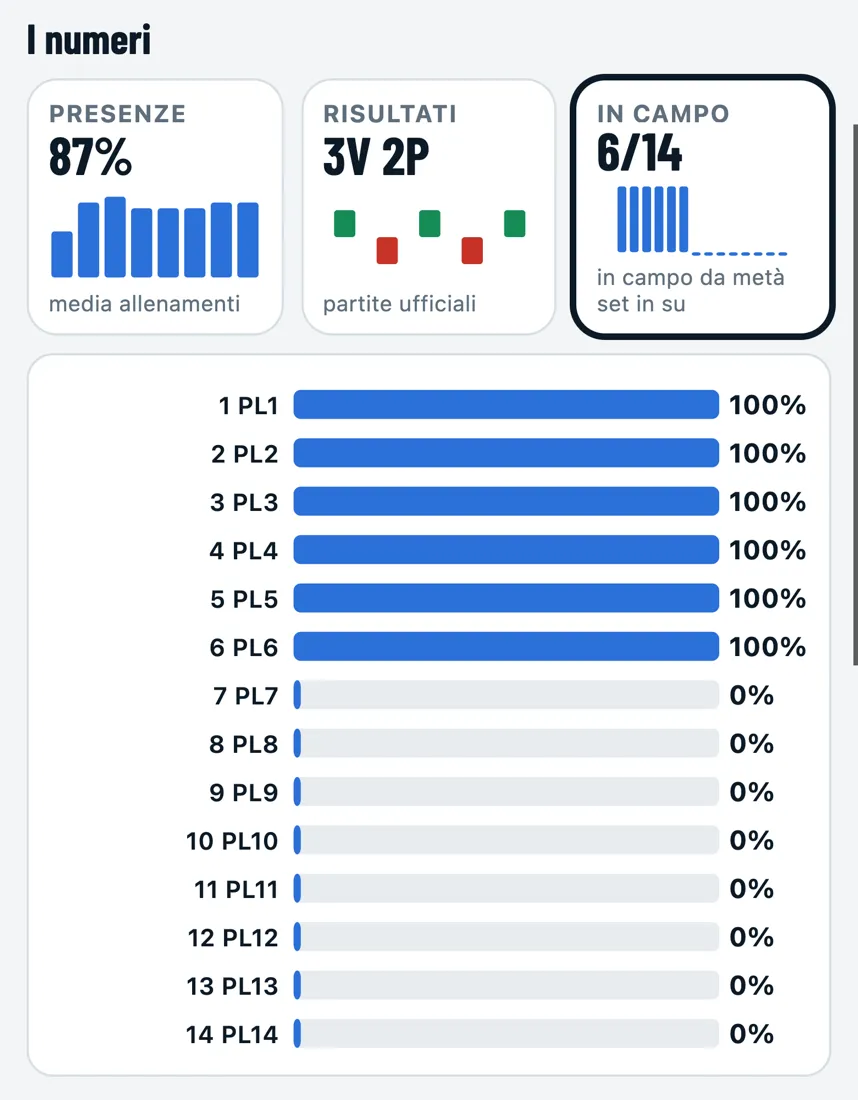
Coach: attendance, results and playing time in three tiles, with the playing time chart

Training attendance, official match results and each player’s time on court: one tap and the chart opens.

A7 / Stats

Stats for A and for B

Stats of a training scouting: Matches or Training, White team or Blue team

In Stats choose Training and then the team: points, errors, side-out, rotations and the table, as in a match. Outside the season.

A8 / ClubClub only

Training counts, but stays apart.

Training scouting, Scoreboard, attendance and each player’s card are part of Club. Training stays apart: the season belongs to official matches only.

Coach and players · Club

The team,
player by player.

From scouting to managing: the team’s day, in-depth numbers and a notebook for every player, team stats and Scouty AI answering on your own data.

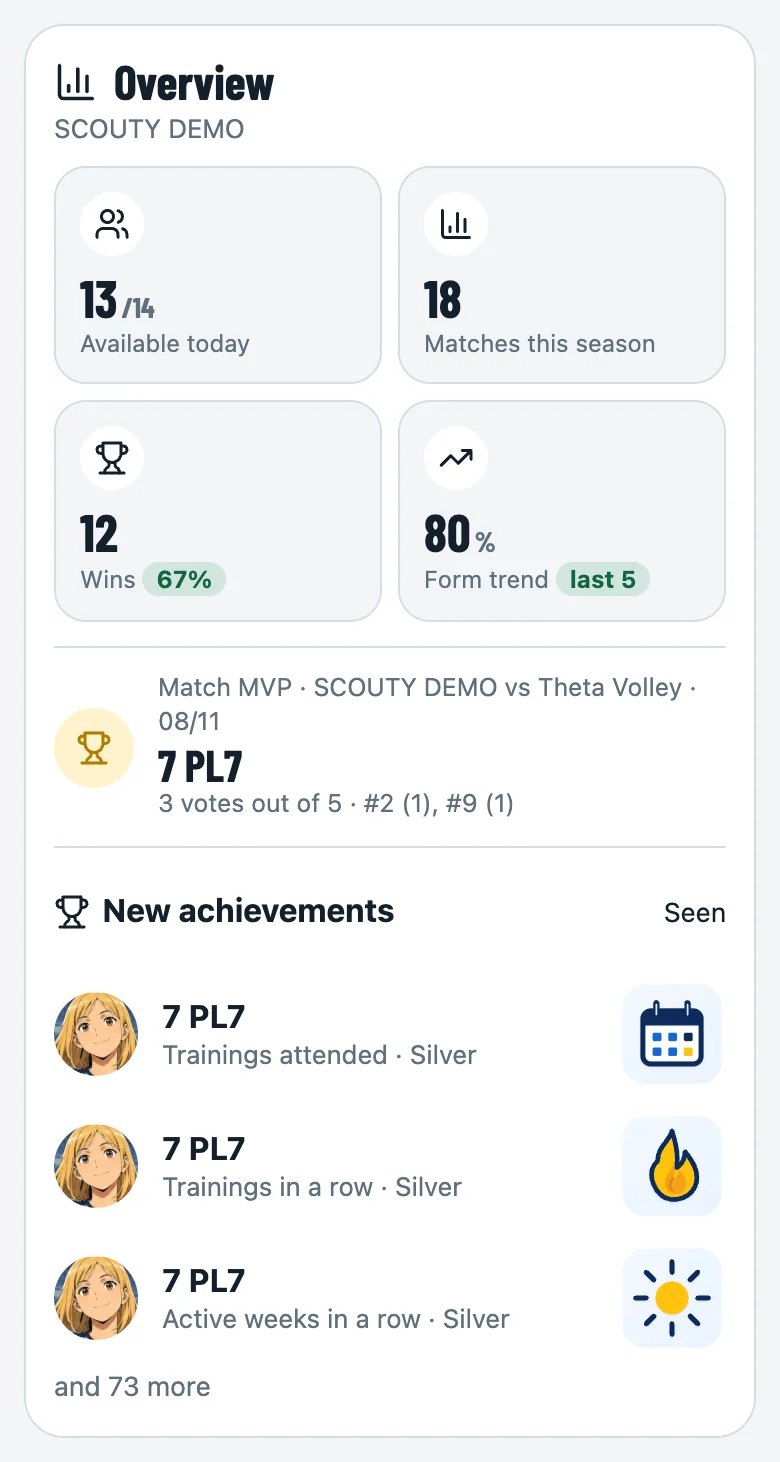
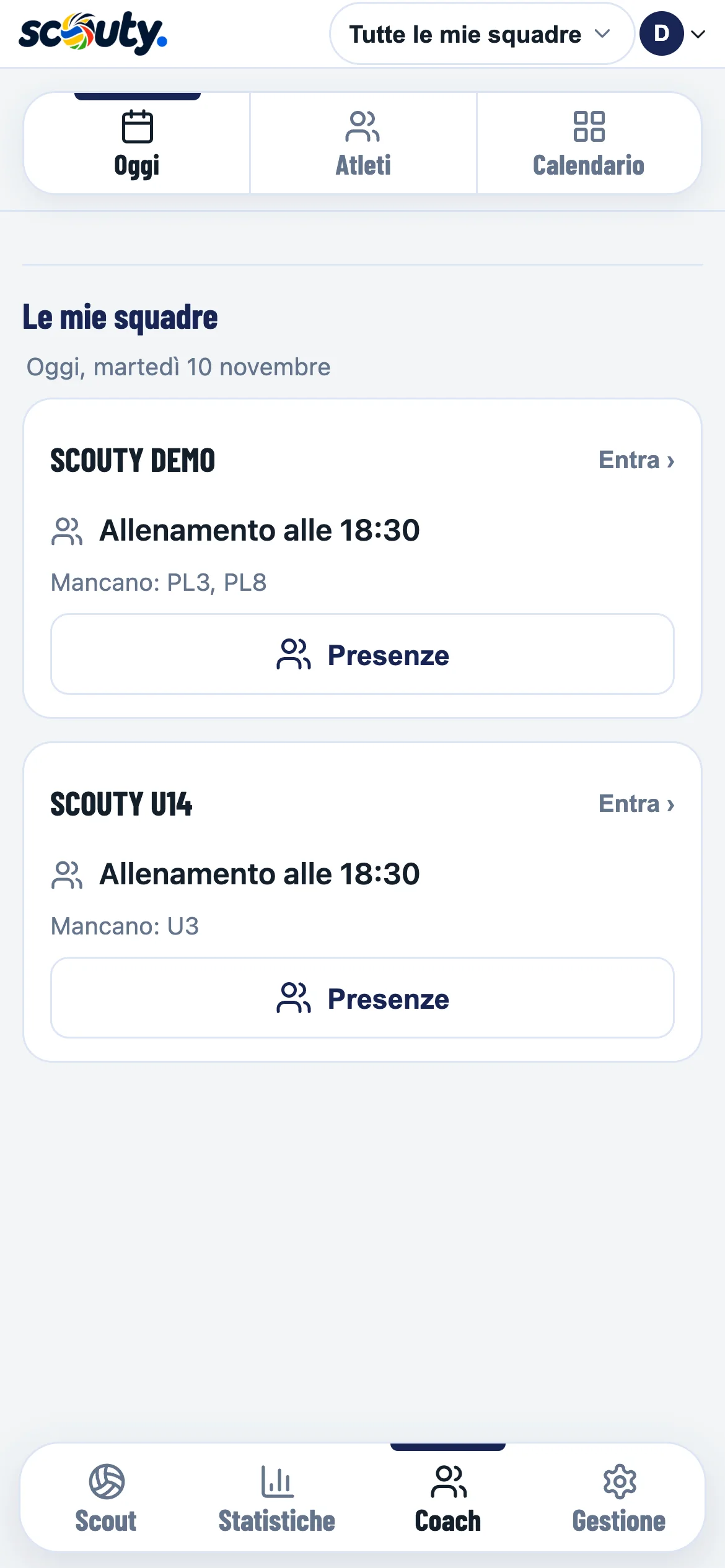
N1 / Today

The day at a glance

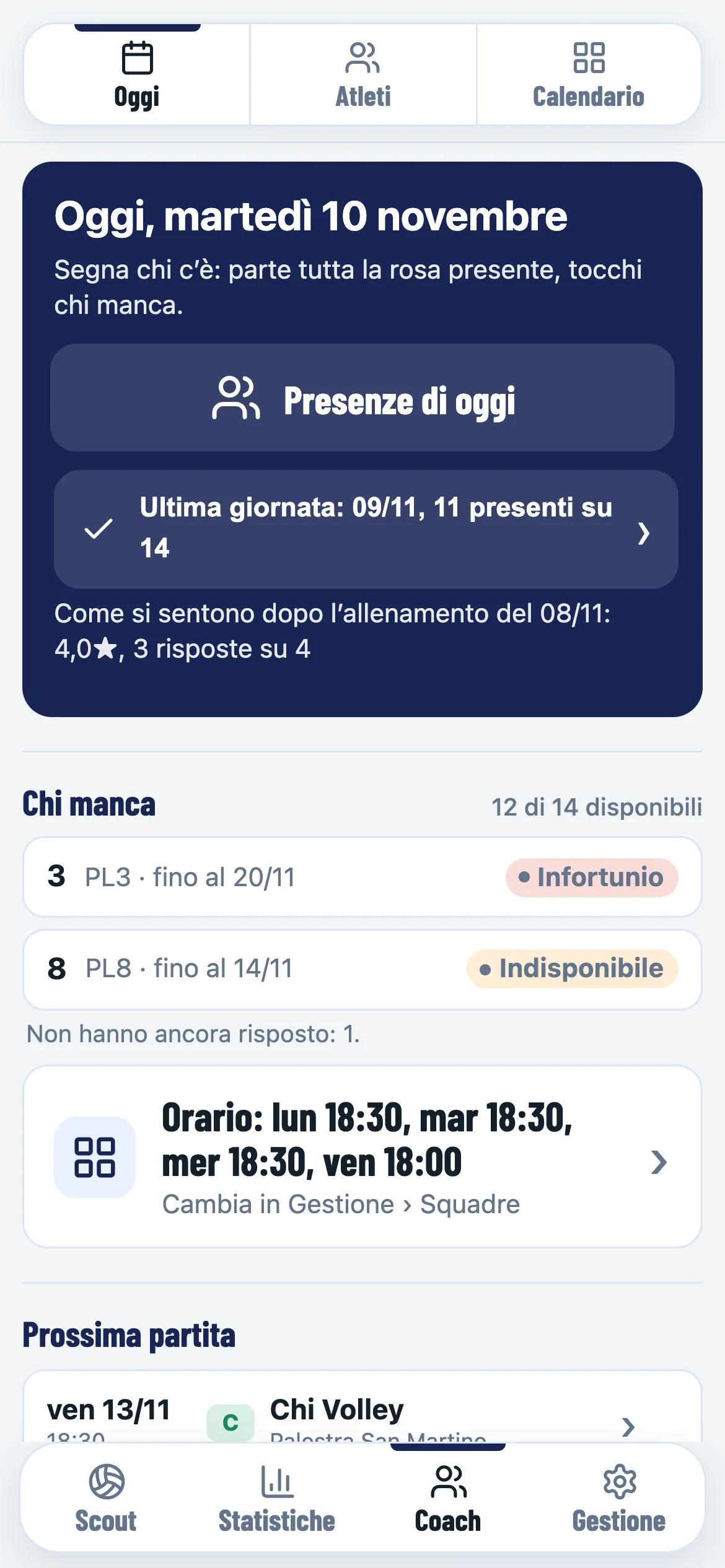
Coach › Today: today’s attendance, who is missing, training times

In Coach › Today you find the day’s training, attendance in one tap, who is missing and why, how the players felt after the last training and the next match.

N2 / Notebook
The player’s app: I’ll be there or I can’t make it for today’s training, the coach’s goals and her own
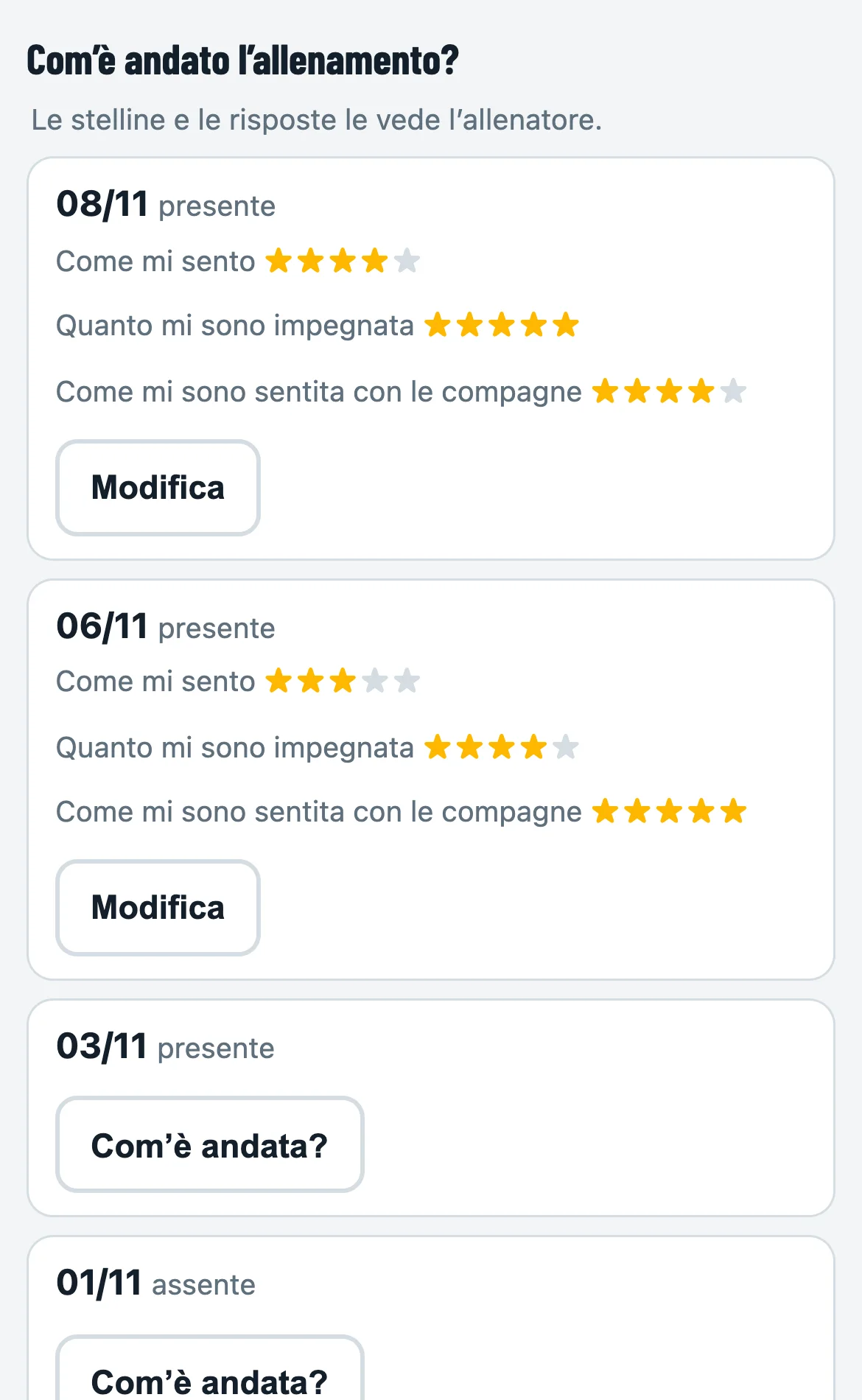
The player’s notebook: how training went, with stars

A notebook for every player

Invite a player with her email: she sees her card, the goals you set and her own, the calendar with I’ll be there / I can’t make it for trainings and matches, and the team’s announcements. In her notebook she writes her notes (you read them too, unless she keeps one to herself) and rates how training went with stars.

N3 / Numbers

Every player, in depth

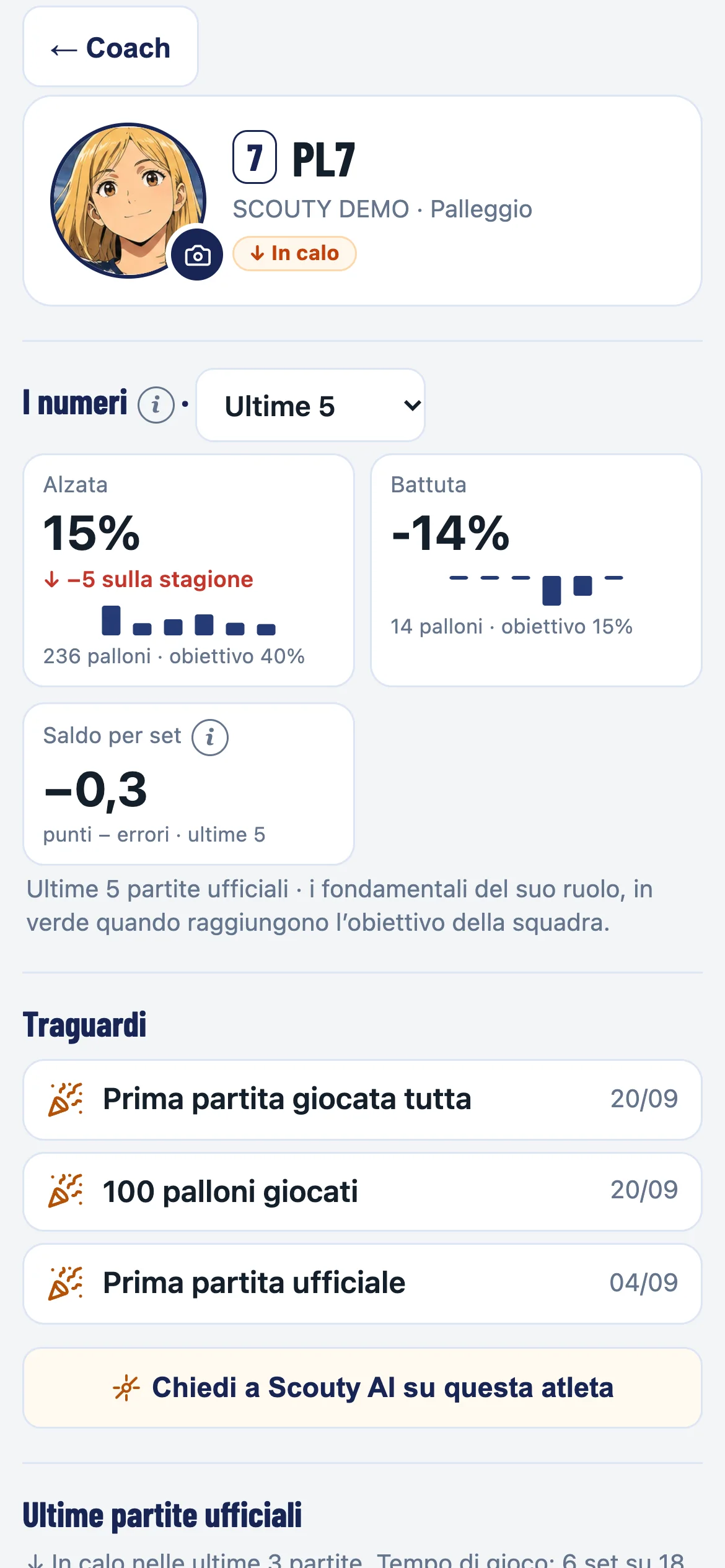
Player card: the numbers of her role, compared with the season, milestones

The numbers of her role over the last 5 matches or the whole season, with the goal and an arrow if they go up or down. Milestones reached, and a photo taken on the spot or chosen from the characters.

N4 / What scouting says

Where she wins and loses points

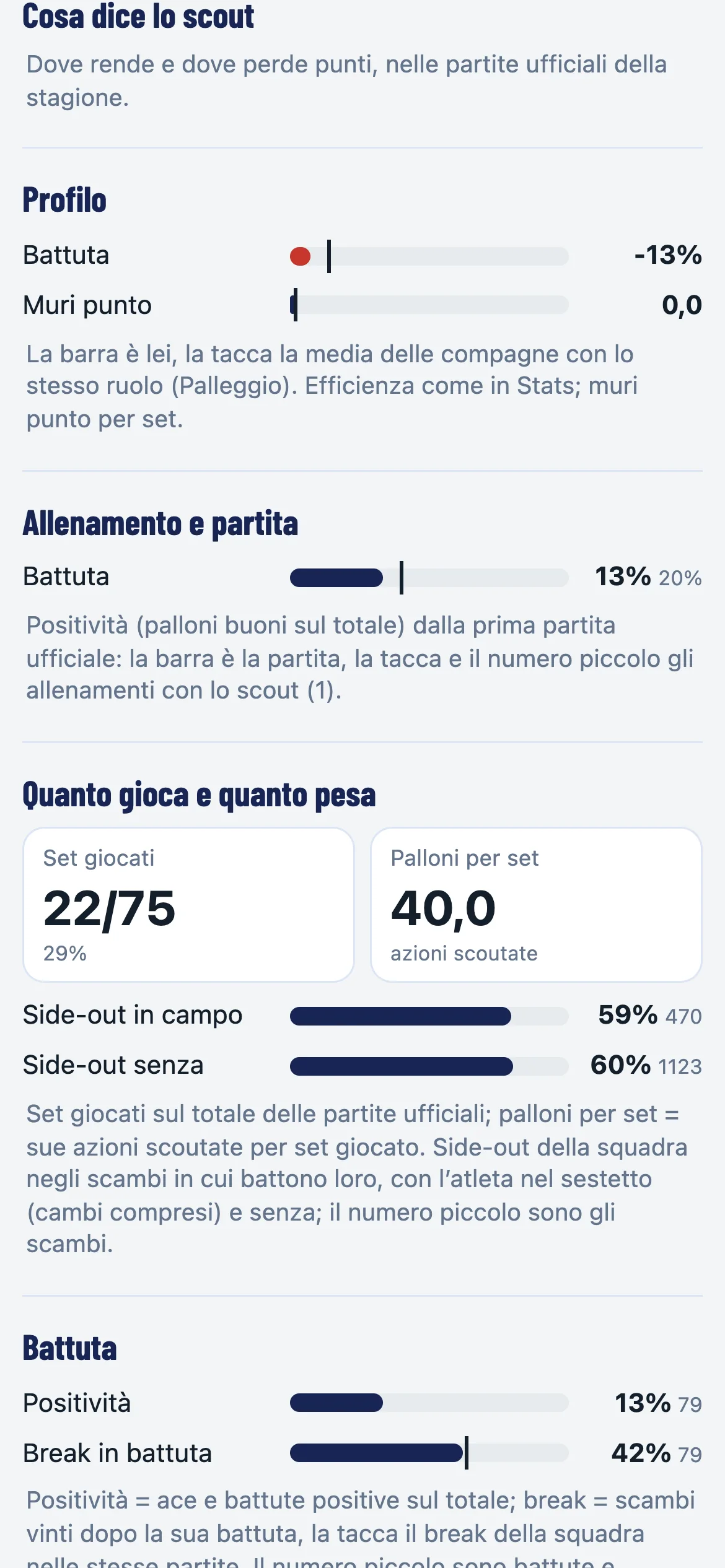
What scouting says: profile against the role, training and match, how much she plays and weighs

Compared with teammates in the same role, training next to matches, how much she plays and weighs (side-out with her on court and without), attack by the set she receives, rotations, streaks and errors by type.

N8 / Milestones and MVP
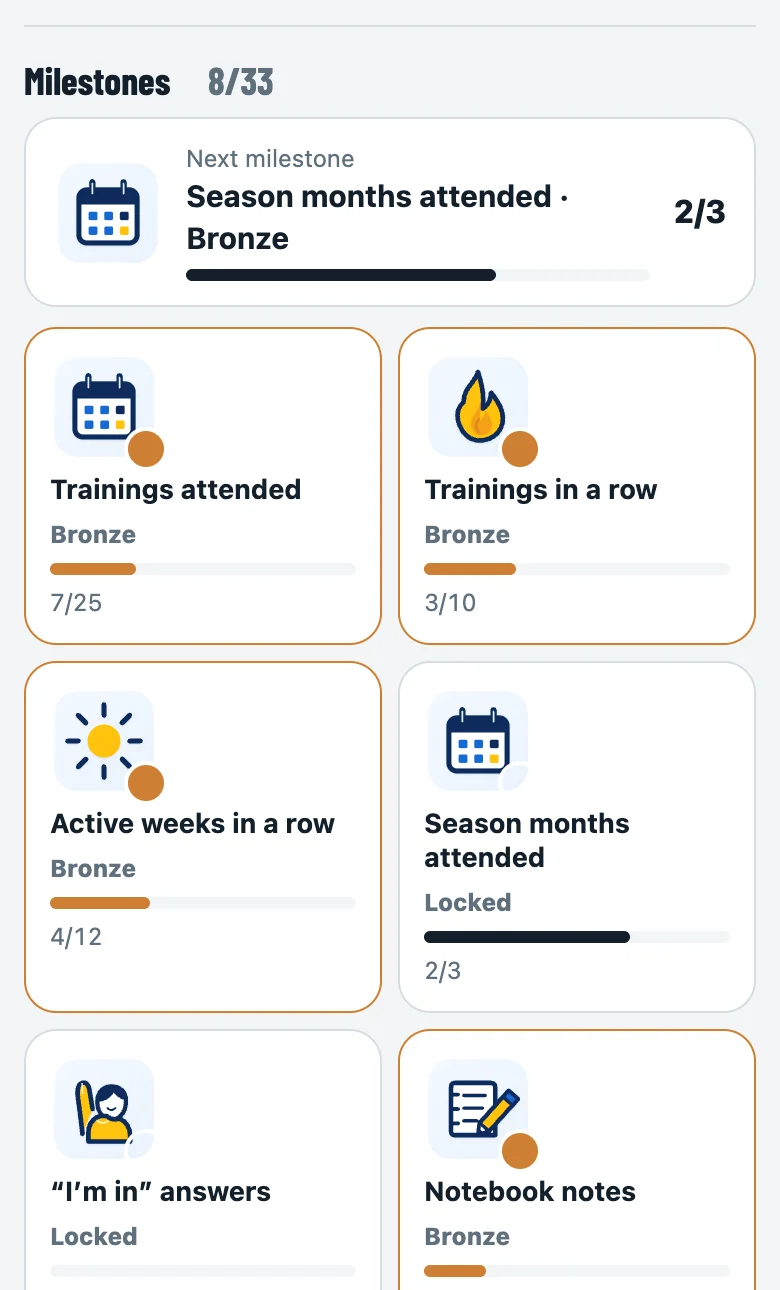
The player’s notebook: the next milestone and the ones unlocked, bronze, silver and gold
The coach’s Home: the MVP of the last match voted by the players and the new milestones

Milestones to unlock, an MVP to vote

Players unlock milestones with what they do during the season: attendance, training streaks, notebook notes, goals reached, matches played. Bronze, silver and gold, with the next milestone always in sight. After the match they vote the MVP among their teammates; you see the winner and the new milestones on your Home.

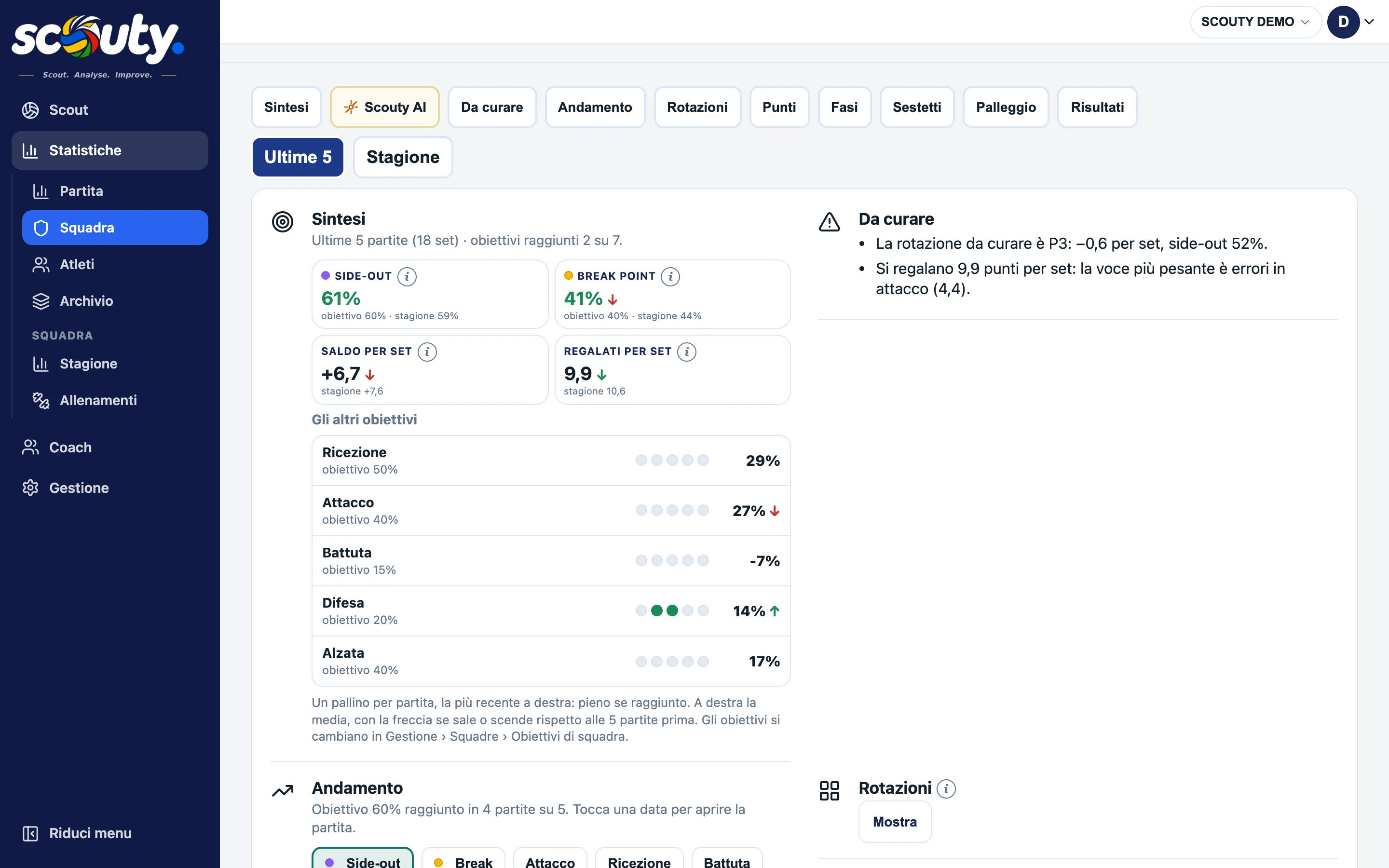
N5 / Team

Team stats

Stats › Team on a PC: summary with goals, what to work on, trend, with the side bar

Last 5 matches or the season: goals reached, what to work on, the trend, rotations, points won and given away, set phases, line-ups, setter distribution and results. Before the match, Prepare the match in Coach. On a PC the whole app has a side bar.

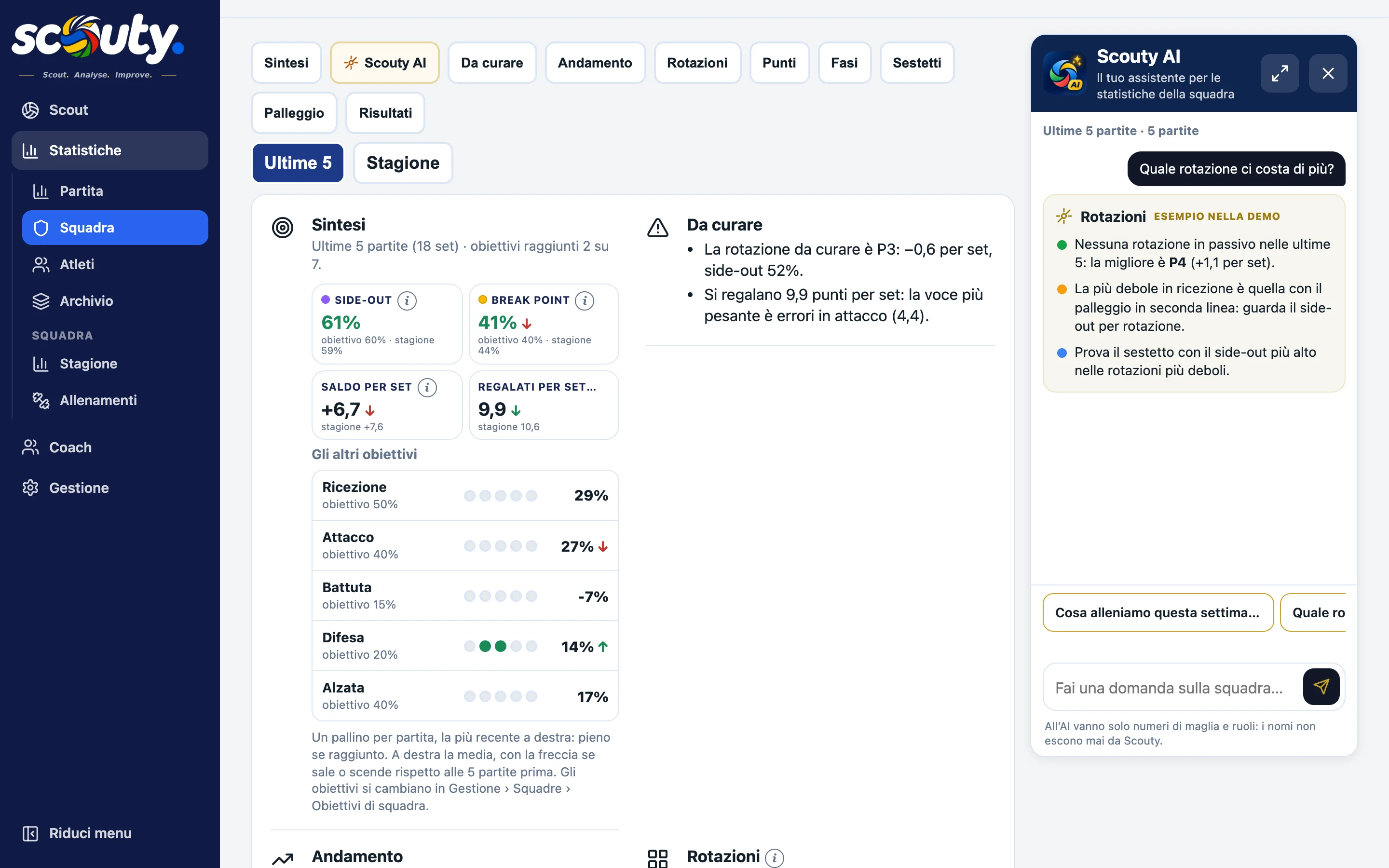
N6 / Scouty AIPro

Ask your team

Scouty AI next to the team stats: which rotation costs us most?

Scouty AI answers on the stats of the team and of every player: what to train this week, which rotation costs most, how to face the next opponent. A bar shows how much you have left today and this month. Only shirt numbers and roles go to the AI, never names.

N7 / More teams

All your teams

My teams: today’s trainings for each team, who is missing, Attendance

Pick the team at the top and the whole app follows it. With “All my teams” you see each team’s day. In Management you decide which teams each coach sees.
Export

All the formats
you need.

Every match, live or archived, exports with one tap. The whole season goes to Excel.

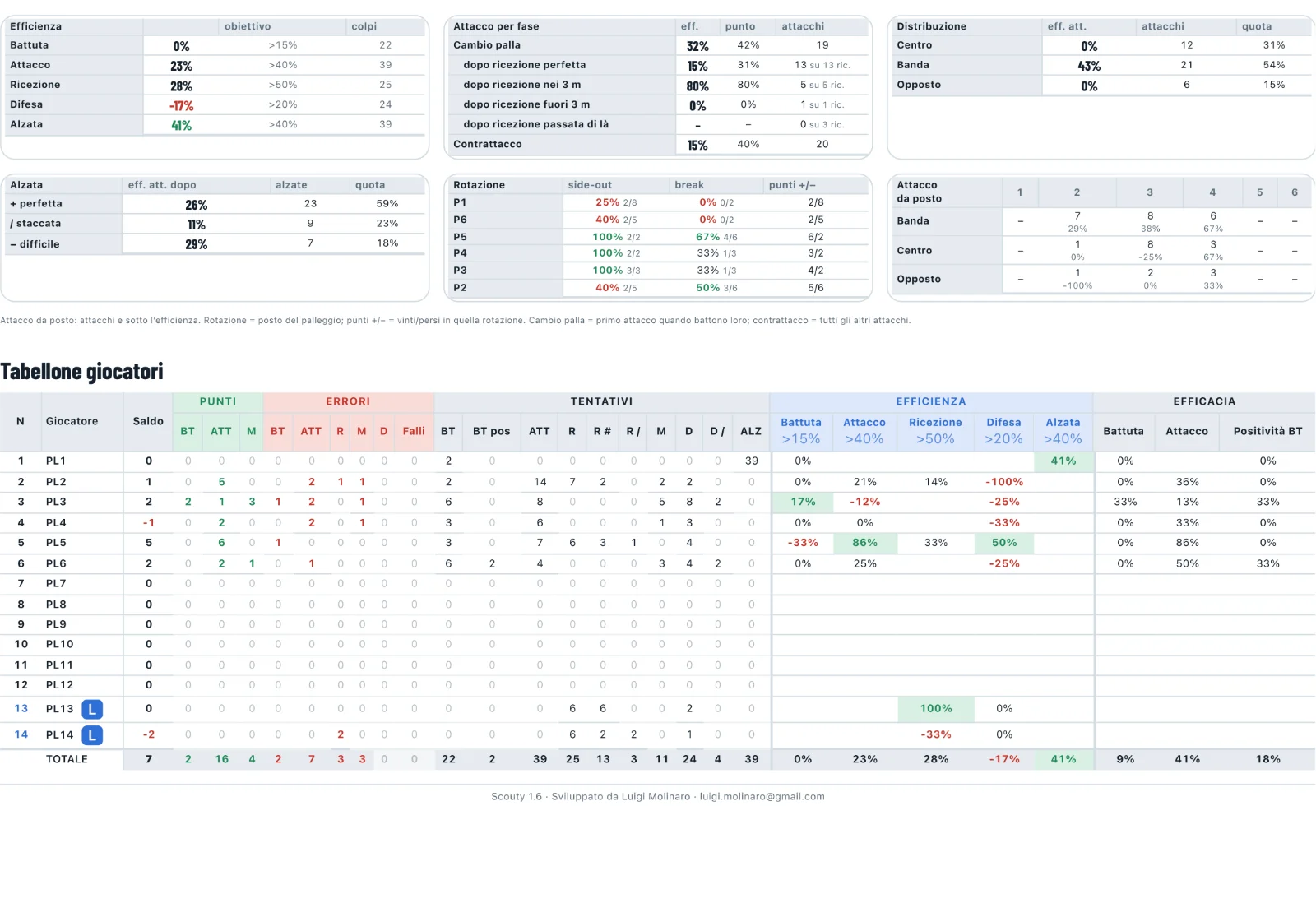
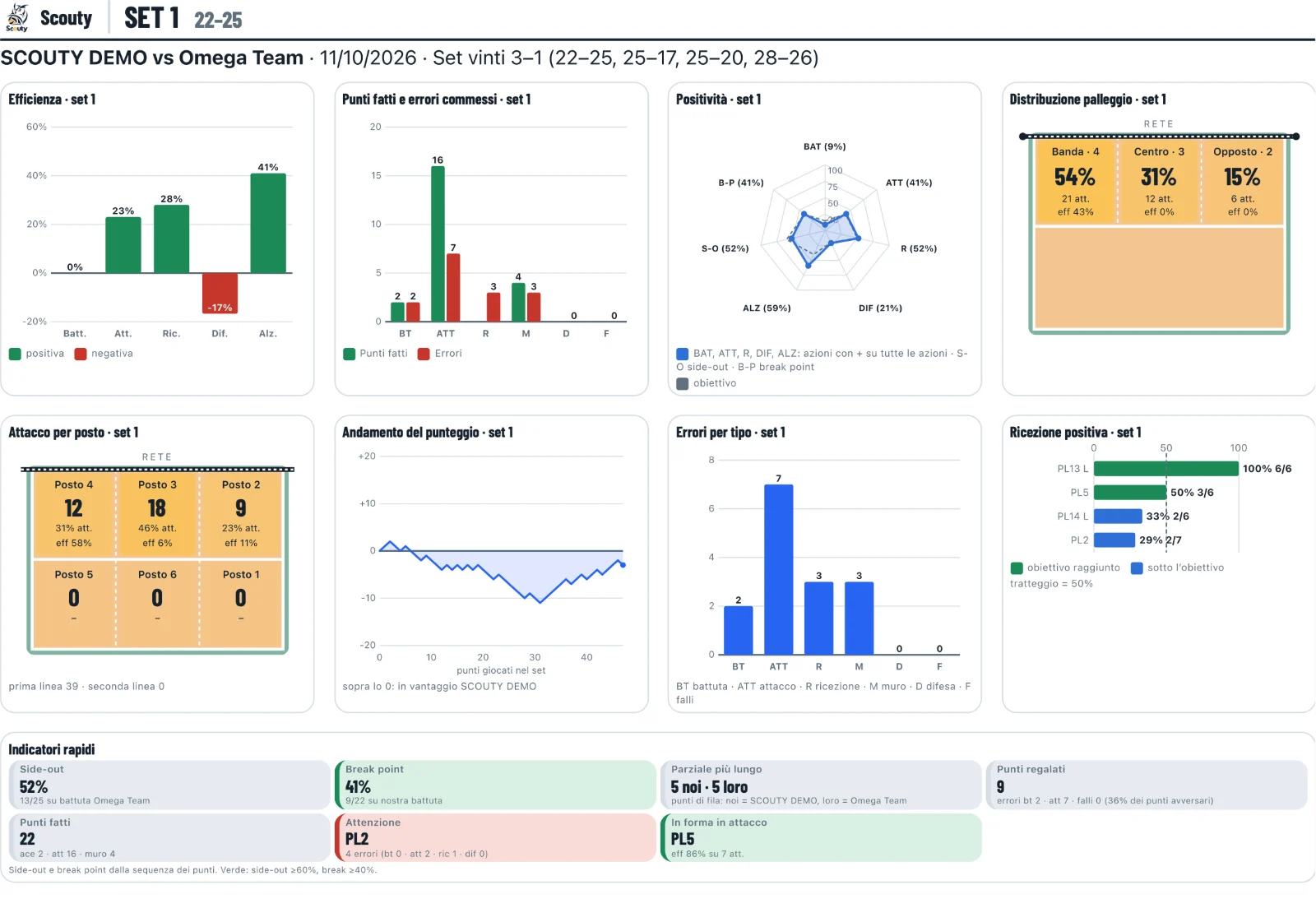
30 / Report
PDF report of a set: charts and indicators
PDF report: tables and player table
31 / PDFPDF

A report to print

Two A4 pages for every set and for the total: charts, indicators, rotations and the player table.

32 / ExcelXLS

Excel

Summary, total and one sheet per set; for the season, the players match by match.

33 / DataVolleyDVW

DataVolley

A .dvw file with line-ups, substitutions, score and actions, for analysis software.

Plans

Free, Club
or Pro.

You start for free, no card. Club when you need more teams, more users, the history and the exports. Pro adds the AI that reads the stats.
34 / Comparison
FREECLUBPRO Live scouting, score and rotations✓✓✓ Several phones in real time✓✓✓ Match stats✓✓✓ Teams1up to 20up to 20 Users2up to 40up to 40 Match archivelast 3allall Season stats and player trends✗✓✓ Match comparison✗✓✓ Live for the family at home (Scouty Live)✗✓✓ Coach: Team with calendar, results, targets and the team page to share✗✓✓ Calendar with artificial intelligence: import the league file and ask it in plain words✗✓✓ Training: A v B scouting, Scoreboard, attendance, player cards✗✓✓ DataVolley export of all matches✓✓✓ PDF and Excel export✗✓✓ Scouty AI: time-out tips and post-match analysis✗✗✓ Scouty AI in Coach: ask about the team and each athlete✗✗✓

More than 20 teams or 40 users? For a custom plan write to info@scoutyapp.it.

35 / Month€4.90per monthMove to Club →
36 / Year€39per year, 12 monthsSign up free
37 / Pro€9.90per month, or €89 a year · Club + Scouty AIDiscover Pro →
Support

A question?
We reply fast.

Behind Scouty are people who use it every week in the gym. We usually reply within a day.

37 / App

From the app

In Manage › Support write your message: it reaches us with your club and your user. We reply by email and you get a copy.

38 / Email

By email

Support, questions, your club logo (we can prepare it for you): support@scoutyapp.it. Payments and activations: activation@scoutyapp.it. Everything else: info@scoutyapp.it.

39 / Guide

On your own

The scouting guide explains line-ups, outcomes, substitutions, stats and export. On the demo you can try everything without signing up. New to this? Learn how to scout volleyball and what the stats mean.

40 / The next time-out

The next time-out,
with the numbers in hand.

Sign up free →Try the demo
Live scoutingMatches and trainingTime-outSeasonPDF · Excel · DataVolley